Block models or providers
Limit the models and providers each CoreValue key can use, and what a caller sees when a request falls outside them.
You stop a model or provider from being used by limiting the keys that call it. Each CoreValue key — API key or virtual key — can carry a list of the Models and Providers it may use. A request for anything else is refused at the gateway, before it reaches the provider and before it costs anything.
Limits are set per key, as an allow list. There is no organisation-wide block list in the console. To keep a model out of use everywhere, give every key a Models list without it, and issue new keys with one.
Before you start
| Requirement | Detail |
|---|---|
| Plan | Every plan. |
| Role | Owner or Admin (the keys.write permission). Members see the Scopes column but cannot change it. |
| Where | Top bar → Governance → Keys (/governance?tab=keys). |
Limit a key
Open the key's scopes
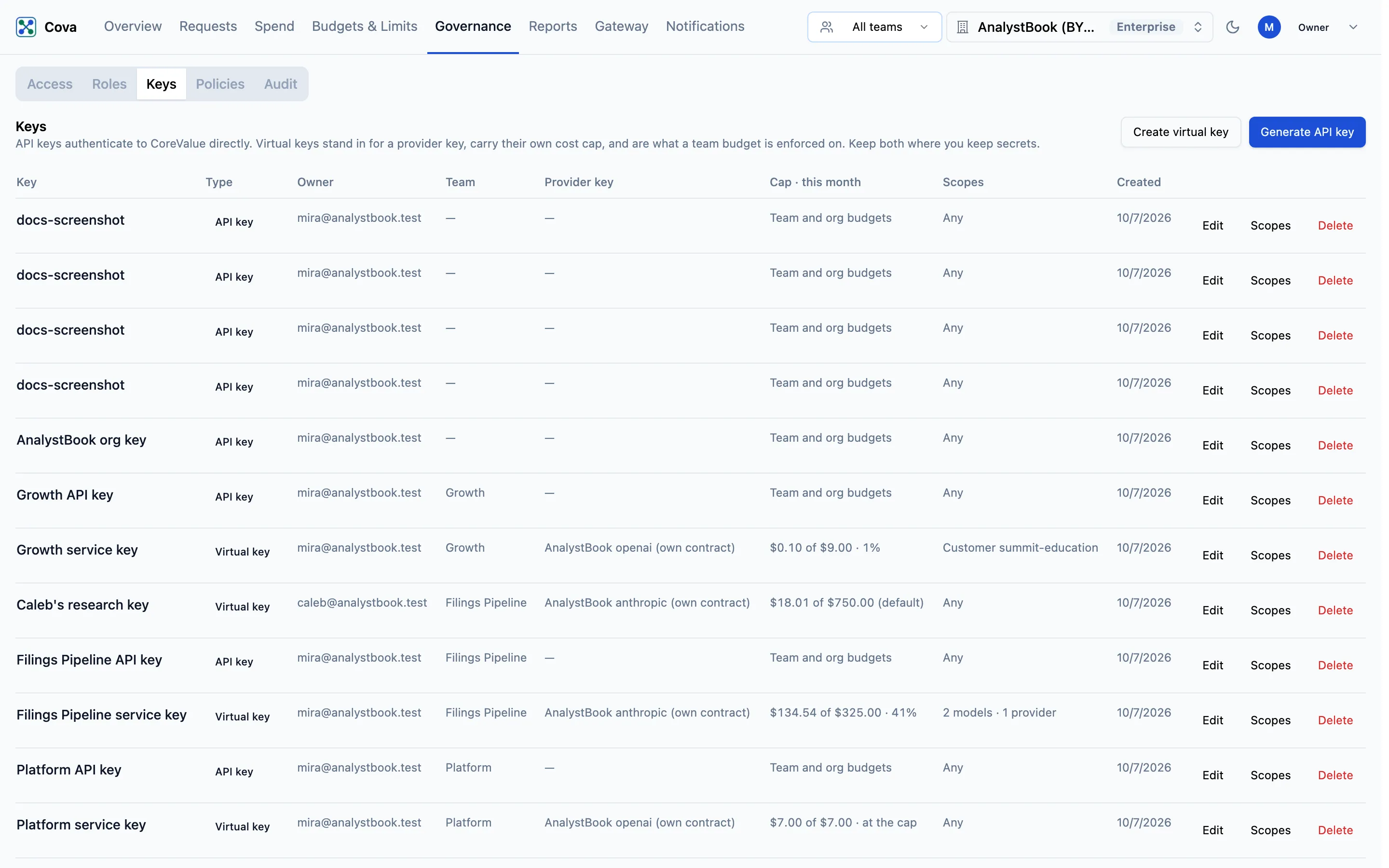
Go to Governance → Keys and click Scopes on the key's row.
Add models and providers
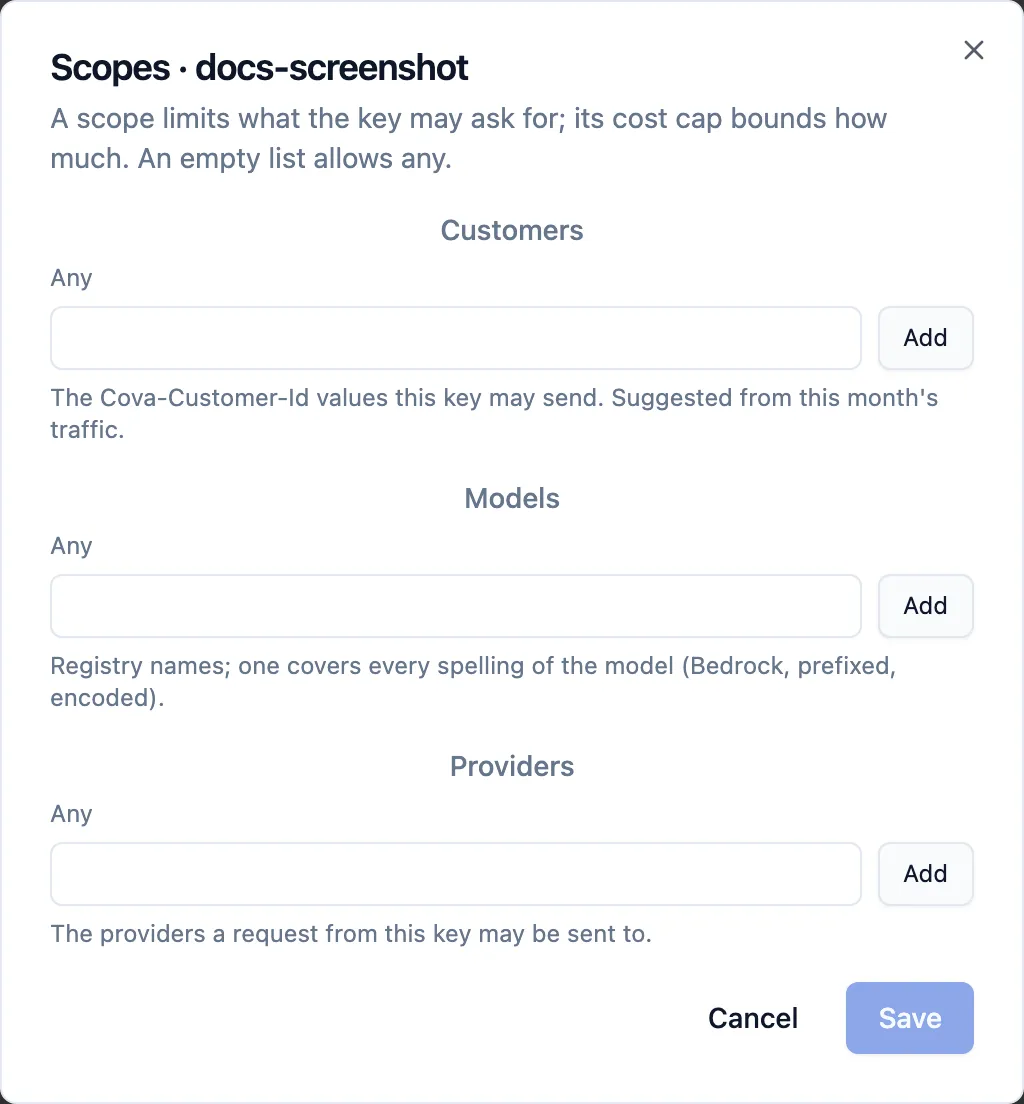
| Field | What to enter |
|---|---|
| Models | Model names from CoreValue's registry, for example gpt-4o-mini or claude-sonnet-4-5-20250929. One entry covers every spelling of the model: its Bedrock id, a prefixed id such as anthropic/claude-sonnet-4-5-20250929, and URL-encoded forms. |
| Providers | The providers a request may be sent to, for example openai or bedrock. |
An empty field shows Any and allows everything. Each field takes up to 100 entries. The same dialog also limits the key to certain Customers; see Key scopes.
Save
Click Save. Clear all scopes removes every limit from the key.
What the caller receives
A request outside the key's lists gets HTTP 403 in the error format of the API it called. For an OpenAI-format request:
HTTP/1.1 403 Forbidden

{
  "error": {
    "message": "This key may not use model \"gpt-4o\".",
    "type": "permission_error",
    "code": "model_not_allowed"
  }
}HTTP/1.1 403 Forbidden
{
"error": {
"message": "This key may not use provider \"groq\".",
"type": "permission_error",
"code": "provider_not_allowed"
}
}Anthropic-format requests get permission_error, and Gemini-format requests PERMISSION_DENIED. A key with a Models list that sends a request naming no model is refused too.
The refusal is recorded on Requests at $0, so you can see who tried. It is checked before rate limits and budgets, so a refused request uses none of them.
Which model and provider are checked
- Models is checked against the model the request asks for, before anything changes it.
- Providers is checked against the provider the request is sent to: the prefix on
/gateway/v1, the provider whose endpoint was called, or the provider routing by model name chose.
MCP tools and A2A agents
Model and provider limits apply to LLM requests. To decide who may call an MCP tool or an A2A agent, use Access rules; to hide a tool from everyone, limit the server's Tools on Add MCP servers.
Related
- Key scopes — models, providers and customers on one key
- Budgets & Limits — stop spend, rather than a model
- Supported providers and models — the names to enter