Add MCP servers
Register the MCP servers your organisation's agents reach through CoreValue, limit their tools, and switch them on and off.
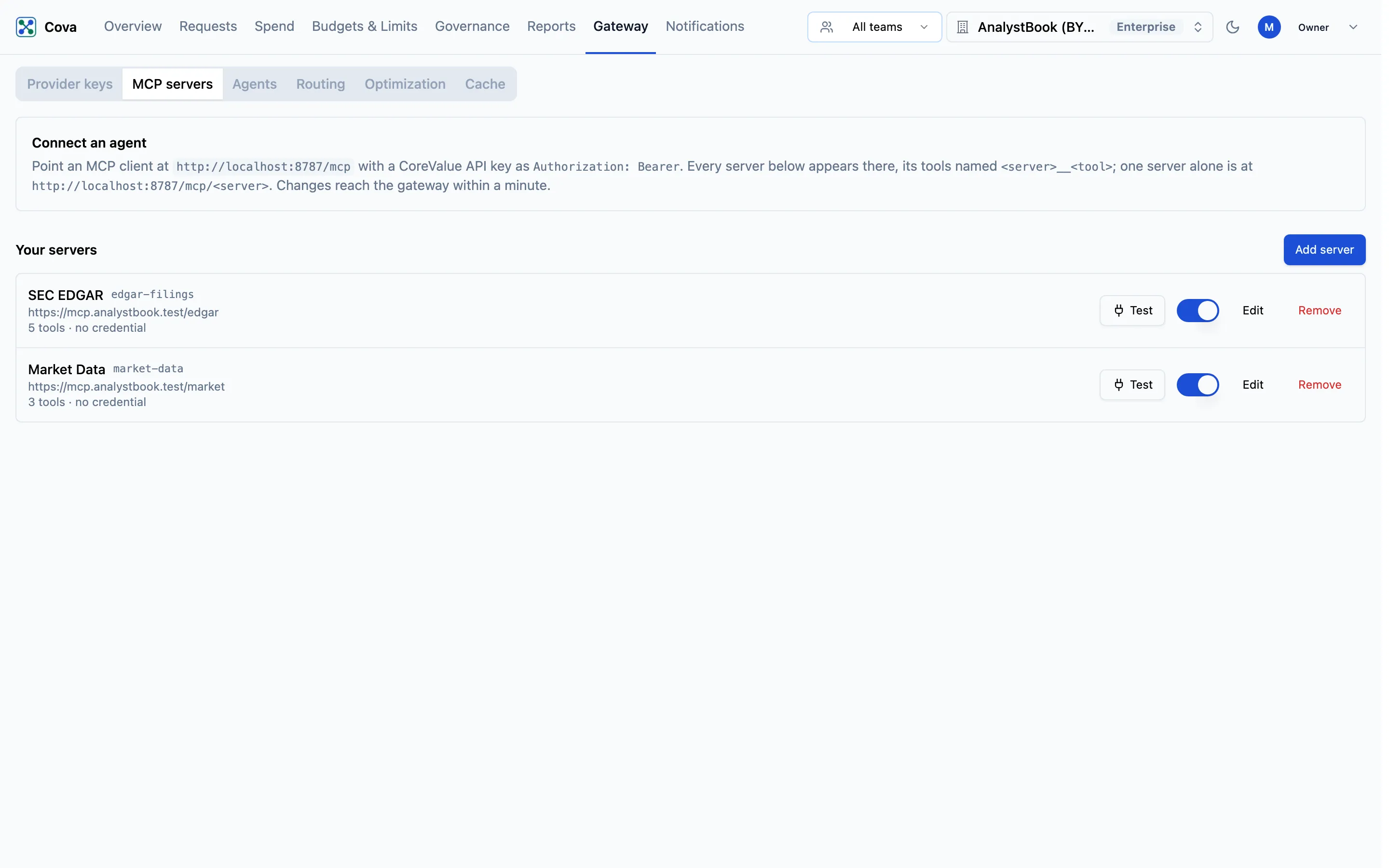
Gateway → MCP servers is where you register the MCP servers your agents use. Every server listed there is reachable through CoreValue's MCP endpoint, and every call to it is logged.
Before you start
| Requirement | Detail |
|---|---|
| Plan | The MCP gateway is included on the Growth and Enterprise plans. On other plans the tab says "The MCP gateway is not enabled for this organisation." |
| Role | Owner or Admin (the governance.write permission) to add, test, edit, switch off or remove a server. Members see the list but cannot change it. |
| Where | Top bar → Gateway → MCP servers (/gateway?tab=mcp-servers). |
| The server | Reachable over https at a public address, and speaking streamable HTTP. stdio and the legacy SSE transport are not supported. |
Add a server
Fill in the server
| Field | What it does |
|---|---|
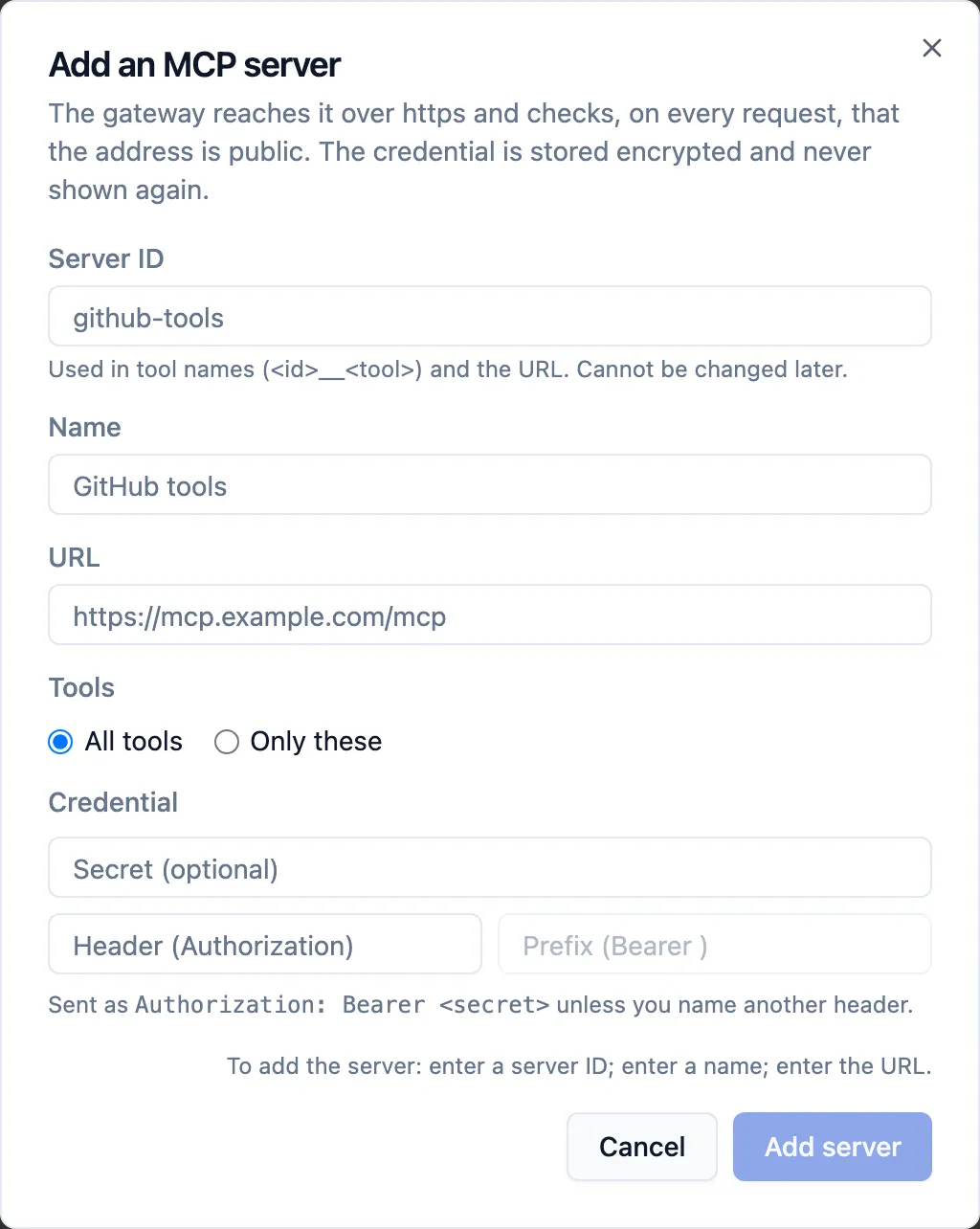
| Server ID | 1 to 64 lowercase letters, digits or hyphens, for example github-tools. Used in tool names (<server-id>__<tool>) and in the server's own endpoint. Cannot be changed later. |
| Name | Shown across the console. |
| URL | The server's MCP endpoint, for example https://mcp.example.com/mcp. |
| Tools | All tools, or Only these: one tool name per line. Tools not listed are hidden from agents and refused if called. An empty list allows none. |
| Authentication | How CoreValue signs in to the server: None, Header / API key, OAuth — service account or OAuth — each member signs in. |
For Header / API key, paste the secret. It is sent as Authorization: Bearer <secret> unless you name another Header and Prefix. The two OAuth choices are set up on Servers that need their own sign-in.
If Add server stays disabled, the line beside it says what is still needed, for example To add the server: enter a name; enter the URL.
Save and test
Click Add server. You will see "Server added". Then click Test on the server's row. CoreValue connects to the server with its credential and reports, for example, Connected to … in 120 ms. 4 tools: search, get_issue, … — including which tools your Only these list hides. If it cannot connect, Test shows the server's error.
The URL is checked when you save and again on every request: CoreValue only connects over https, and only to an address on the public internet. A credential is stored encrypted and is never shown again; the server row shows only which header it is sent in, or no credential.
Connect agents to it
The Connect an agent box at the top of the tab gives the endpoint for your organisation:
https://gateway.corevalue.dev/mcp— every enabled server at once, each tool named<server-id>__<tool>.https://gateway.corevalue.dev/mcp/<server-id>— one server alone.
Clients authenticate with a CoreValue API key as Authorization: Bearer, or by signing in. Your CoreValue key is never forwarded to the server. See Connect MCP clients.
Change, switch off or remove a server
On the server's row:
- The switch turns the server off and on. An off server is marked Off, and its tools disappear from agents.
- Edit changes the name, URL, tools and credential. For a stored header credential, choose Keep or Replace. The server ID cannot change.
- Remove asks Remove …?. Agents lose its tools, its stored credential is deleted, and its past calls stay in MCP tool calls.
Every change reaches the gateway within a minute; agents need no reconfiguring.
Platform servers
Below your own servers, Platform servers lists servers CoreValue provides with your plan. You cannot edit them, but you can switch one off for your organisation, or click Limit tools to allow only some of its tools.
Who can call which tools
Every enabled server's tools are open to every key in the organisation until you narrow them. Two controls narrow them:
- Tools on the server (above) applies to everyone.
- Access rules decide which teams, members and keys may call each server or tool, with an audit mode to try a rule first.