Audit log
See who changed what in your organisation, and when, and download it as CSV.
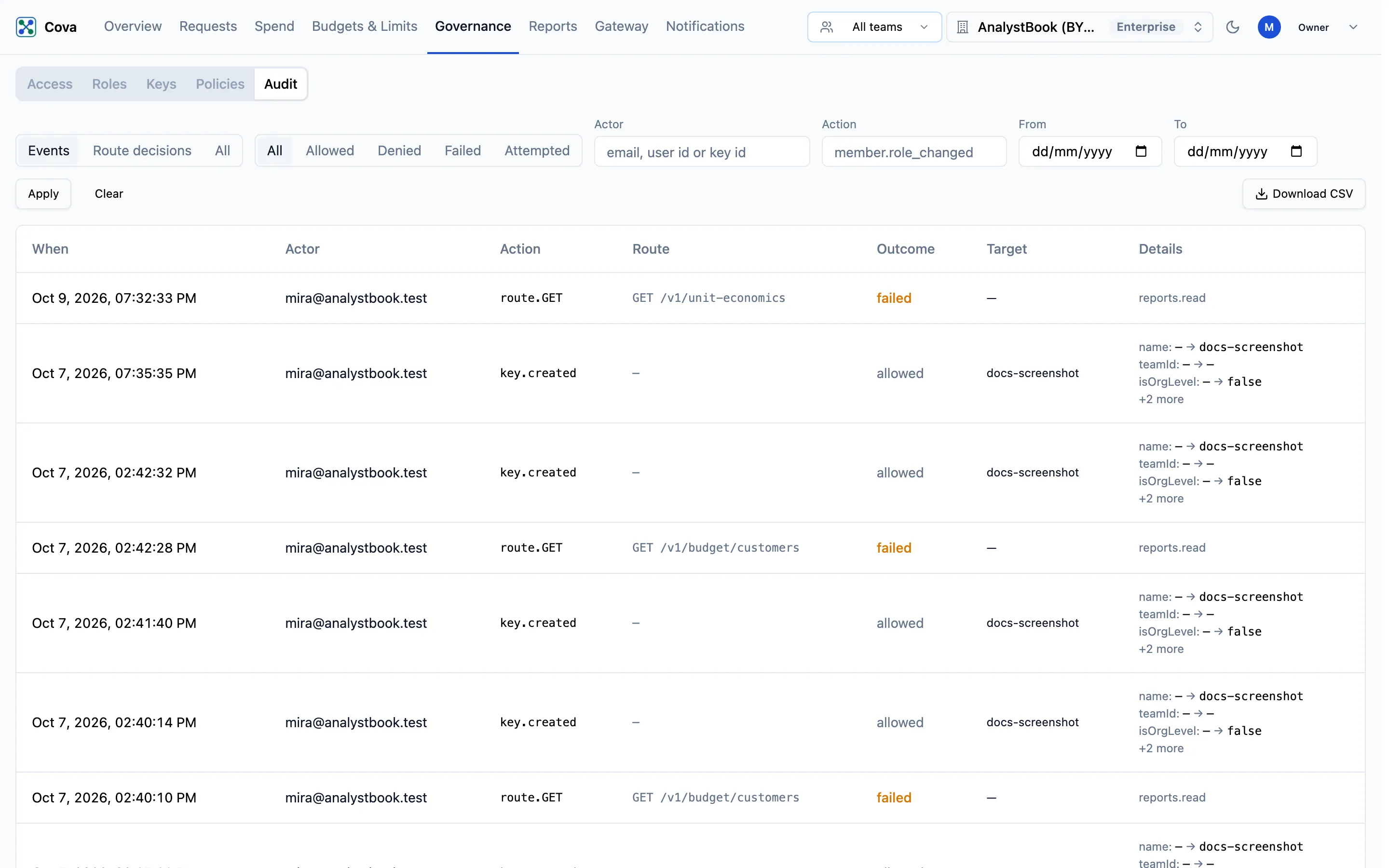
The audit log records the changes made in your organisation: who made each one, when, what it changed, and whether it was allowed. Use it to answer "who changed this budget?" or "when was this key deleted?", and as the shared record for a security or operational review.
Before you start
| Requirement | Detail |
|---|---|
| Where | Top bar → Governance → Audit (/governance?tab=audit). |
| Permission | audit.read. Owners and admins hold it. A custom role holds it only if you grant it; reports.read does not include it. Without it, the tab shows a lock. See Roles and permissions. |
| Plan | Every plan. |
What is recorded
There are two kinds of row.
| Kind | Example | What it tells you |
|---|---|---|
| Named event | member.role_changed, budget.updated, key.deleted | The change itself, with the fields that changed, before and after. |
| Route decision | route.… | One attempt to use a protected part of the console or API: who tried, the route, and whether it was allowed, denied or failed. |
Named events cover members and roles, keys and provider keys, budgets, caps, alerts and downgrade mappings, rate and velocity limits, prices, gateway configuration, organisation settings, and MCP connections. The Action box suggests every event name as you type.
Keys and secrets are never recorded; anything that looks like one is shown as [redacted]. Reading the audit log is not itself recorded.
Read the log
Each row shows When, Actor, Action, Route, Outcome, Target and Details. Newest rows come first; use Previous and Next to page through.
Choose a view at the top:
| View | Shows |
|---|---|
| Events | Named events, plus every route decision that was refused or failed. Start here. |
| Route decisions | Every route decision, allowed or not. |
| All | Both. A successful change appears twice: once as its route, once as its event. |
Find something
- Narrow the Outcome: All, Allowed, Denied, Failed or Attempted.
- Fill in any of Actor (an email, user ID or key ID), Action (for example
member.role_changed), From and To. - Click Apply. Clear resets every filter.
Download as CSV
Click Download CSV. It downloads every row that matches the current filters, newest first, up to 10,000 rows. Narrow the dates to export a longer history in parts.
Related
- Roles and custom roles — grant
audit.readto a reviewer without making them an admin - Members
- API keys and virtual keys