Quickstart
From sign-in to a capped customer in about ten minutes: add a provider key, create a CoreValue key, send a request, see what each customer costs, and set a first budget.
By the end of this page you will have sent a request through the CoreValue gateway, seen what it cost and which customer it was for, and put a budget on that customer. You change two lines in your existing code — the base URL (where requests are sent) and the API key — and add one header that names the customer.
You will need: a CoreValue account, and an API key from at least one model provider (OpenAI, Anthropic, Google, Groq, …). CoreValue forwards your requests with your provider key — you keep your provider account and pay the provider directly.
Sign in to the console
Go to app.corevalue.dev and sign in with your email and password.
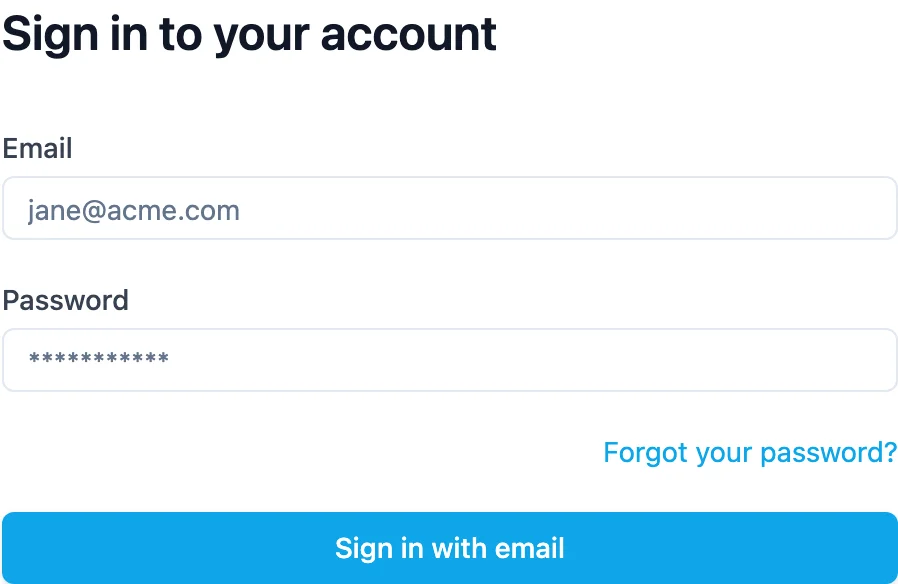
The first time you sign in you are asked to name your organisation. Everything you set up — keys, budgets, requests — belongs to that organisation, and you can invite teammates to it later.
Add your provider key
CoreValue needs a key for each provider you want to call. It keeps the key and uses it on your behalf; your applications never see it.
- In the top bar, click Gateway, then the Provider keys tab.
- Find your provider — type in Search providers... to filter the list.
- Paste your key into the provider's API key field (for OpenAI, OpenAI API Key, starting
sk-). - Leave Enable for AI Gateway (BYOK) ticked — BYOK means "bring your own key": CoreValue calls the provider with your key, and the provider bills you — then click Save.
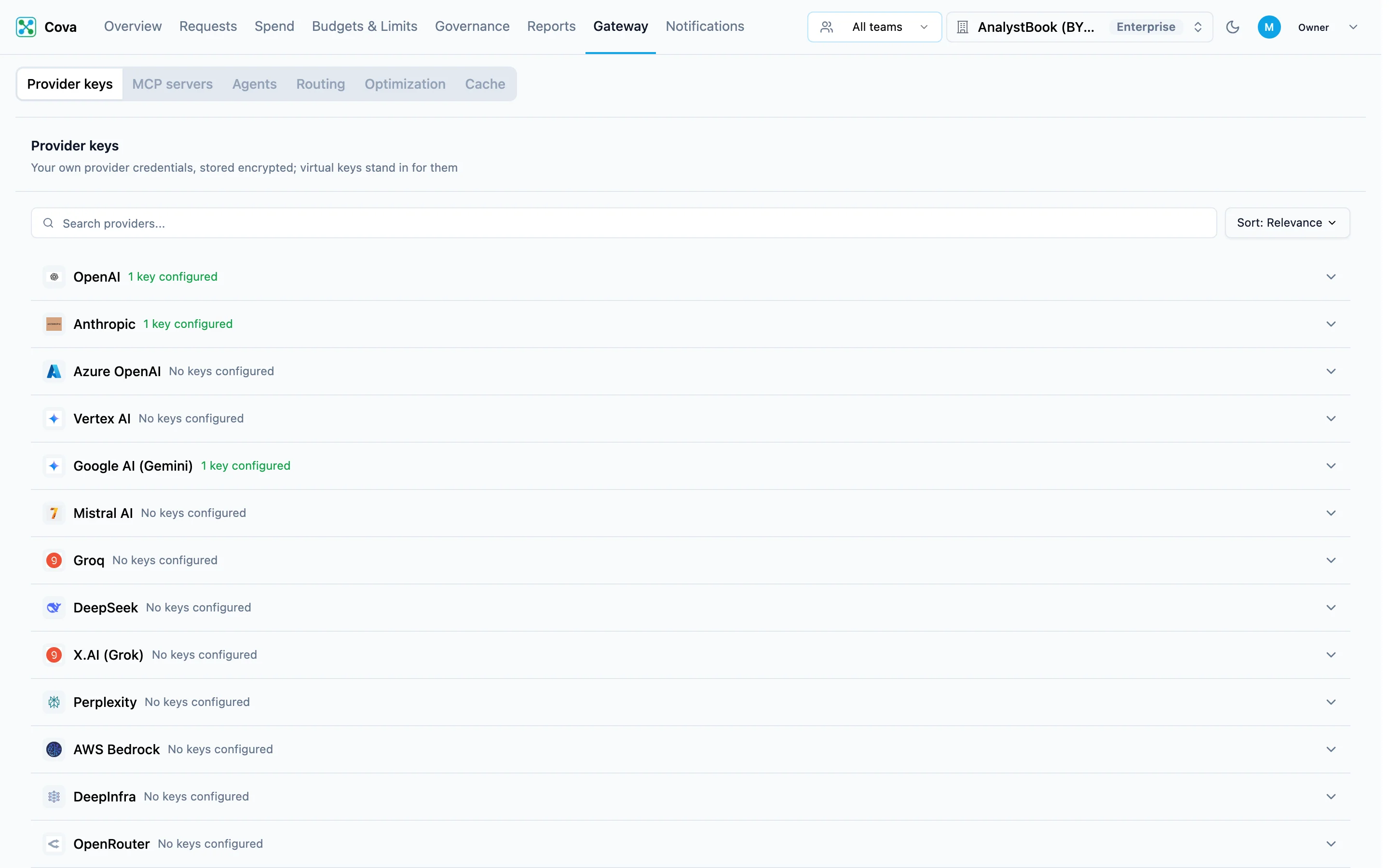
The card now reads 1 key configured. Repeat for any other provider you use.
Azure OpenAI, AWS Bedrock and Vertex AI ask for more than a key — base URI, API version and deployment name for Azure; region for Bedrock and Vertex. Have those to hand.
Create a CoreValue API key
Your applications send a CoreValue API key with each request, instead of your provider key. That way the provider key stays inside CoreValue, and every request is tied to a key you can see and limit. (What's the difference?)
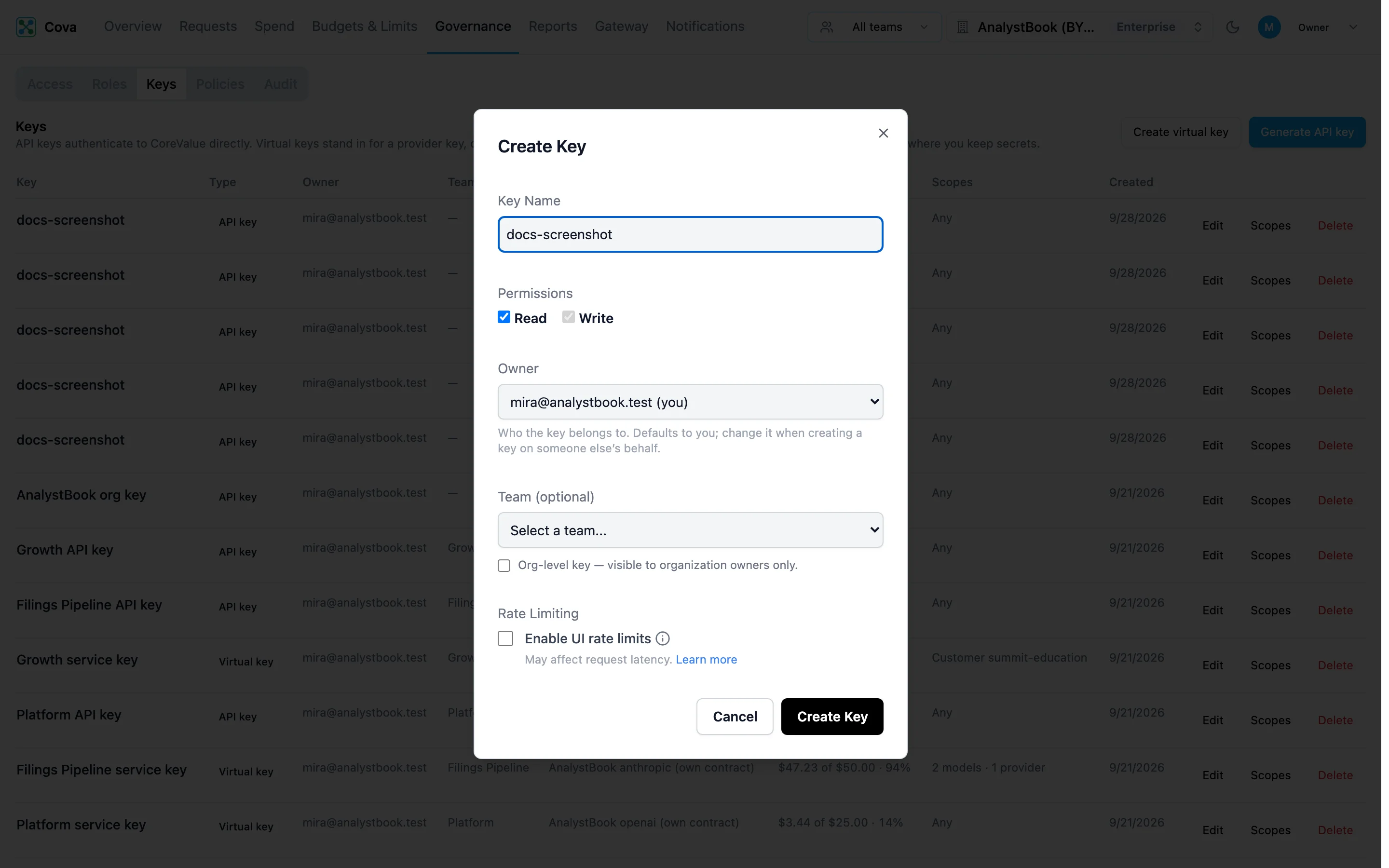
- In the top bar, click Governance, then the Keys tab.
- Click Generate API key.
- Enter a Key Name that says where the key will be used — for example
checkout-service— and pick a Team if you use teams. - Click Create Key.
Copy the key now. It starts with sk-cova-, and you will not be able to see it again after you close the dialog.
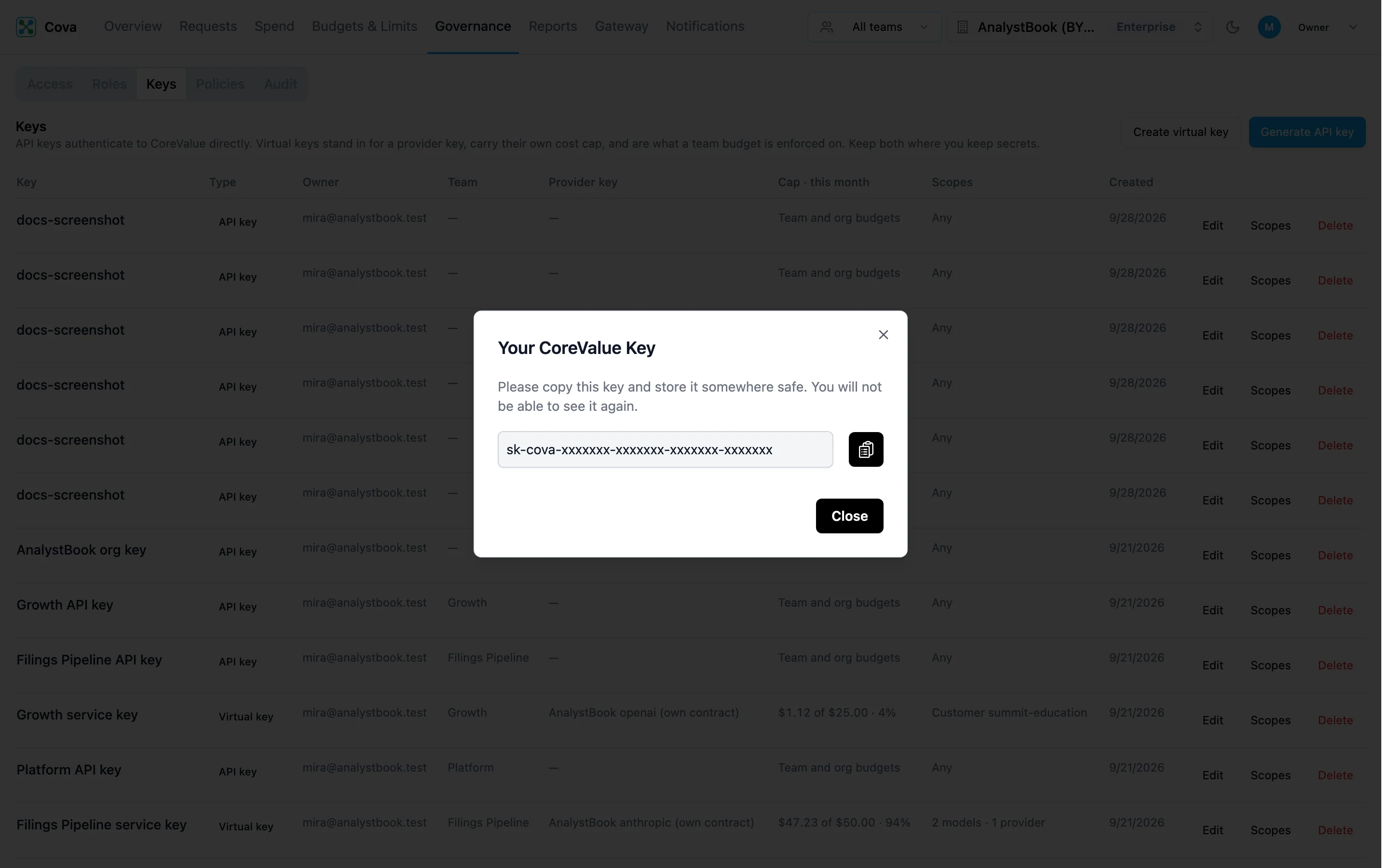
Store it where your application reads secrets, for example:
export COVA_API_KEY="sk-cova-..."Send your first request
Point your OpenAI client at the gateway and use your CoreValue key. Nothing else in your code changes.
import os
from openai import OpenAI

client = OpenAI(
    base_url="https://gateway.corevalue.dev/v1",
    api_key=os.environ["COVA_API_KEY"],
)

response = client.chat.completions.create(
    model="gpt-4o-mini",
    messages=[{"role": "user", "content": "Say hello in one sentence."}],
)
print(response.choices[0].message.content)
import OpenAI from "openai";
const client = new OpenAI({
baseURL: "https://gateway.corevalue.dev/v1",
apiKey: process.env.COVA_API_KEY,
});
const response = await client.chat.completions.create({
model: "gpt-4o-mini",
messages: [{ role: "user", content: "Say hello in one sentence." }],
});
console.log(response.choices[0].message.content);curl -i https://gateway.corevalue.dev/v1/chat/completions \
-H "Authorization: Bearer $COVA_API_KEY" \
-H "Content-Type: application/json" \
-d '{
"model": "gpt-4o-mini",
"messages": [{"role": "user", "content": "Say hello in one sentence."}]
}'The response is exactly what OpenAI returns. CoreValue adds a few headers of its own (curl -i shows them):
| Header | Example | Meaning |
|---|---|---|
Cova-Id | 550e8400-e29b-41d4-… | The request's ID. Search for it on the Requests page. |
Cova-Status | success | success or error. |
Cova-Provider | openai | The provider that served the request. |
Cova-Model | gpt-4o-mini | The model that served it. |
Cova-Request-Cost | 0.0000210000 | What the request cost, in US dollars. |
For a streamed response the cost arrives in the stream's last event instead of a header — see Streaming.
See it in the console
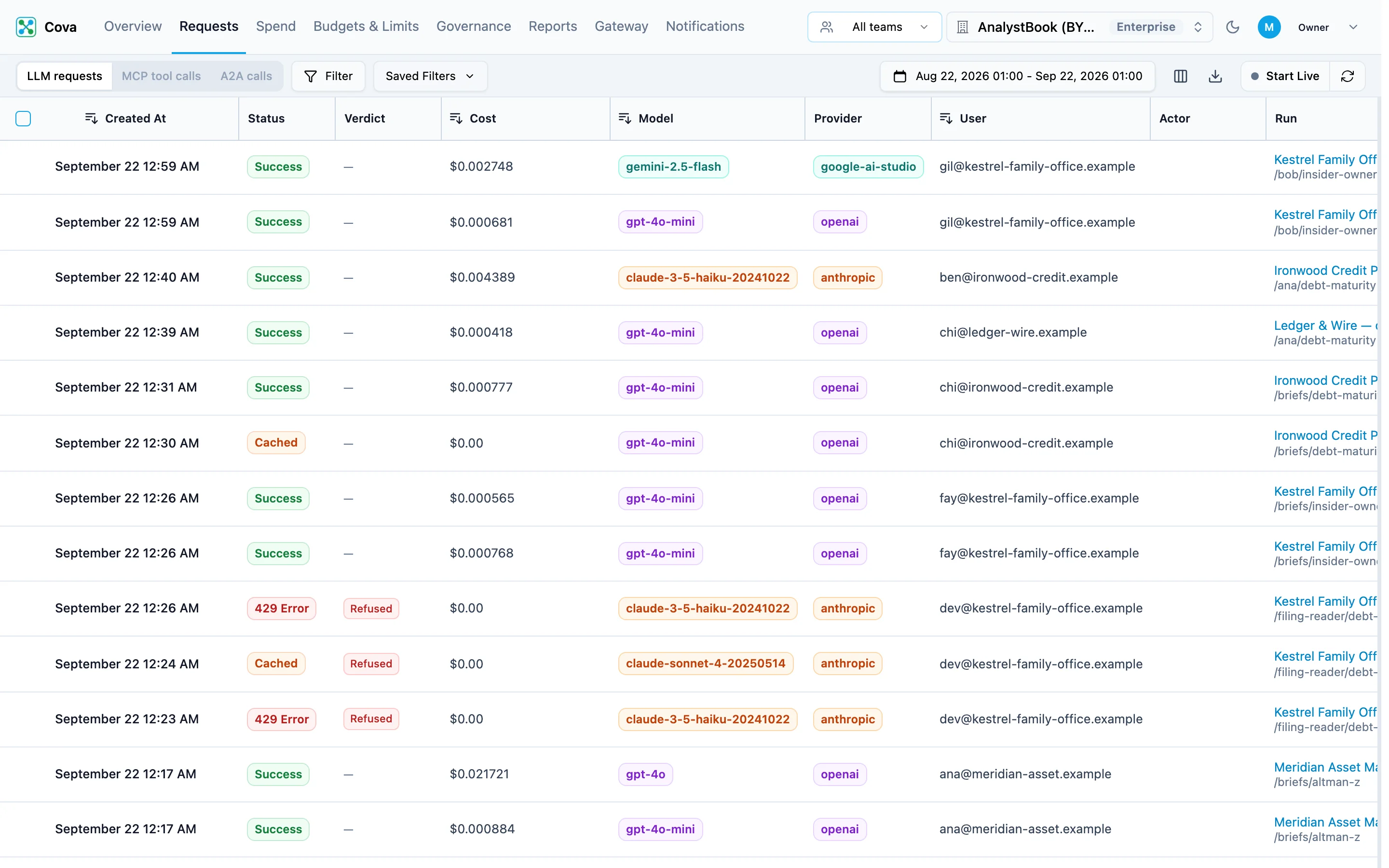
In the top bar, click Requests. Your request is at the top of the list, with its status, cost, model, provider, tokens and latency.
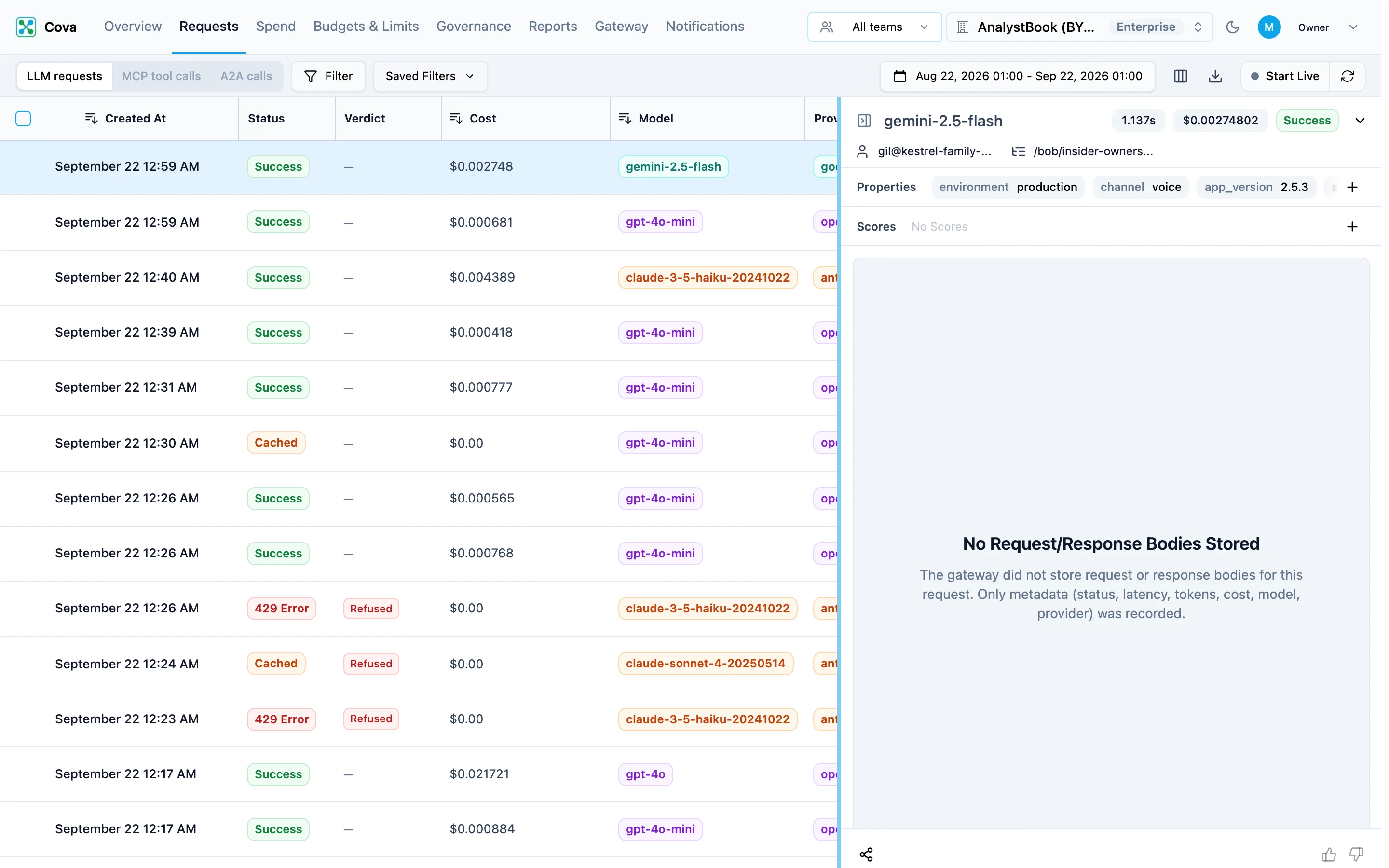
Click the row to open it. The panel shows the model, cost, latency, tokens and any properties you sent — and the request and response bodies when your organisation stores them (see Body retention).
Say which customer each request is for
Send the Cova-Customer-Id header with the ID you already use for that customer — an account ID, a tenant slug, anything stable. This is what turns your AI bill into a cost per customer.
response = client.chat.completions.create(
    model="gpt-4o-mini",
    messages=[{"role": "user", "content": "Say hello in one sentence."}],
    extra_headers={"Cova-Customer-Id": "acme-corp"},
)
const response = await client.chat.completions.create(
{
model: "gpt-4o-mini",
messages: [{ role: "user", content: "Say hello in one sentence." }],
},
{ headers: { "Cova-Customer-Id": "acme-corp" } },
);curl https://gateway.corevalue.dev/v1/chat/completions \
-H "Authorization: Bearer $COVA_API_KEY" \
-H "Content-Type: application/json" \
-H "Cova-Customer-Id: acme-corp" \
-d '{
"model": "gpt-4o-mini",
"messages": [{"role": "user", "content": "Say hello in one sentence."}]
}'Go to Budgets & Limits → Customers. acme-corp is listed with what it has cost you this month.
Set a first customer budget
On Budgets & Limits → Customers, click Add limit, choose the Customer, and click Continue. Enter the Monthly budget (USD), set At the budget to Refuse the request or Downgrade the model, and click Save.
The budget is checked before the model is called. Once the customer's spend reaches it, their requests get HTTP 429 (or move to a cheaper model from your downgrade mappings), and every other customer is unaffected. Per-customer budgets covers the error your application sees and how to show each customer's margin.
Call other providers
Anthropic — use Anthropic's own SDK with the gateway as its base URL. Add your Anthropic key under Provider keys first.
import os
from anthropic import Anthropic

client = Anthropic(
    base_url="https://gateway.corevalue.dev",
    api_key=os.environ["COVA_API_KEY"],
)

message = client.messages.create(
    model="claude-haiku-4-5-20251001",
    max_tokens=256,
    messages=[{"role": "user", "content": "Say hello in one sentence."}],
)
print(message.content[0].text)
import Anthropic from "@anthropic-ai/sdk";
const client = new Anthropic({
baseURL: "https://gateway.corevalue.dev",
apiKey: process.env.COVA_API_KEY,
});
const message = await client.messages.create({
model: "claude-haiku-4-5-20251001",
max_tokens: 256,
messages: [{ role: "user", content: "Say hello in one sentence." }],
});
console.log(message.content[0].text);Groq, Mistral, DeepSeek, xAI and other OpenAI-compatible providers — keep the OpenAI client, set the base URL to https://gateway.corevalue.dev/gateway/v1, and put the provider in front of the model name:
client = OpenAI(
    base_url="https://gateway.corevalue.dev/gateway/v1",
    api_key=os.environ["COVA_API_KEY"],
)

response = client.chat.completions.create(
    model="groq/llama-3.3-70b-versatile",
    messages=[{"role": "user", "content": "Say hello in one sentence."}],
)| Provider | Model name to send |
|---|---|
| Groq | groq/<model> |
| Mistral AI | mistral/<model> |
| DeepSeek | deepseek/<model> |
| xAI (Grok) | xai/<model> |
| Perplexity | perplexity/<model> |
| Fireworks | fireworks/<model> |
| Cerebras | cerebras/<model> |
| DeepInfra | deepinfra/<model> |
| OpenRouter | openrouter/<model> |
| Novita | novita/<model> |
| Nebius Token Factory | nebius/<model> |
| Baseten | baseten/<model> |
| Chutes | chutes/<model> |
| Canopy Wave | canopywave/<model> |
<model> is the provider's own model ID, exactly as the provider documents it.
Add more context (optional)
Two more headers break spend down further, beside Cova-Customer-Id:
response = client.chat.completions.create(
    model="gpt-4o-mini",
    messages=[{"role": "user", "content": "Say hello in one sentence."}],
    extra_headers={
        "Cova-Customer-Id": "acme-corp",     # the customer account
        "Cova-User-Id": "user-123",          # the end user in your product
        "Cova-Property-Feature": "onboarding",  # any label you want to group by
    },
)
See the headers reference for every header.
Troubleshooting
Next steps
- Budgets & Limits — cap what each team, member, customer or key can spend
- Headers reference — every
Cova-*header - Framework integrations — LangChain, the Vercel AI SDK, the OpenAI Agents SDK and more