Integrations
Xcode
Configure Xcode's Intelligence model provider to route through CoreValue's AI Gateway for observability.
This guide shows how to add CoreValue as a model provider in Xcode so your chats route through the CoreValue AI Gateway and show up in your CoreValue dashboard.
Prerequisites
- A CoreValue account and API key
- Org/provider keys configured in CoreValue (so models can be listed)
Steps
-
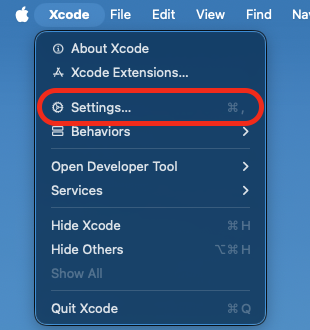
Open Xcode Settings
- Xcode → Settings…
-
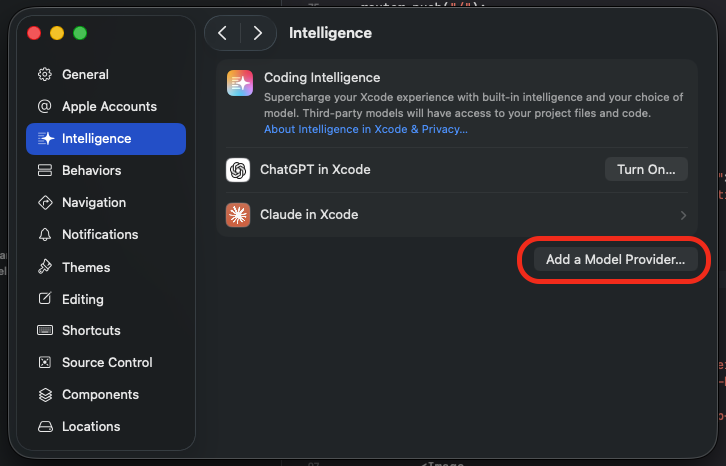
Add CoreValue as a model provider
- Select the Intelligence tab
- Click "Add a model provider…"
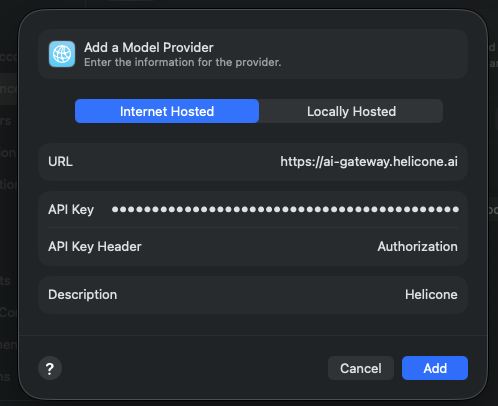
- Fill the form with:
- URL:
https://gateway.corevalue.dev - API Key:
Bearer <corevalue-api-key> - API Key Header:
Authorization - Description:
CoreValue(you can name this however you like)
- URL:
-
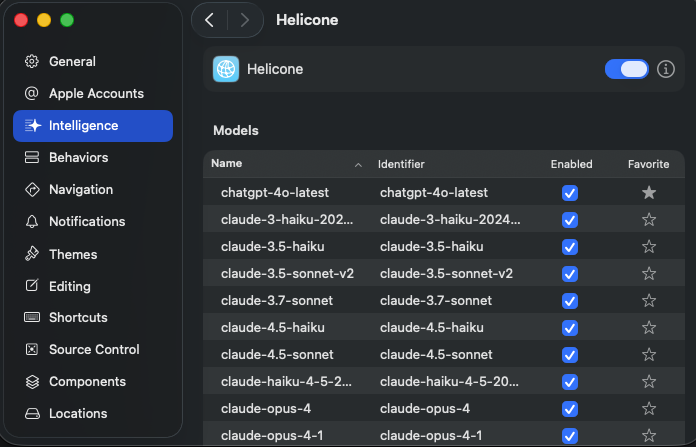
Confirm models are available
- After saving, Xcode should list available models from CoreValue
- There are many models; use Favorites to pin the ones you use most
-
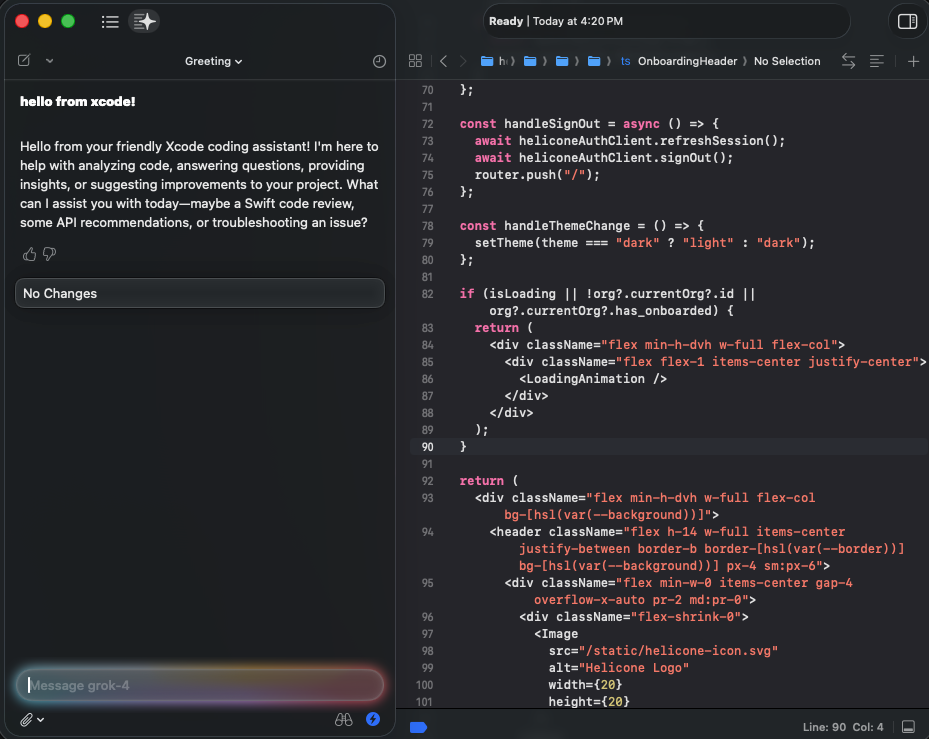
Start chatting and view logs in CoreValue
- Use the chat in Xcode with your selected model
- Open the CoreValue dashboard to see your requests, tokens, and costs
-
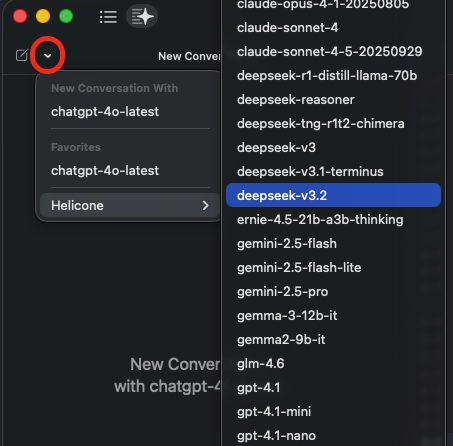
Switch chat model
- In the chat widget, press the dropdown to select a new model.
Notes
- URL points to the CoreValue AI Gateway. Your CoreValue API key is sent via the
Authorizationheader. - If you don’t see models, verify your org/provider keys are set in CoreValue and that your key has access.