Datasets
Curate and export LLM request/response data for fine-tuning, evaluation, and analysis
This feature is gated by the COVA_FEATURE_DATASETS environment variable (default: OFF).
See Re-enable Observability Features to enable.
Transform your LLM requests into curated datasets for model fine-tuning, evaluation, and analysis. CoreValue Datasets let you select, organize, and export your best examples with just a few clicks.
Why Use Datasets
Fine-Tuning
Create training datasets from your best requests for custom model fine-tuning
Model Evaluation
Build evaluation sets to test model performance and compare different versions
Quality Control
Curate high-quality examples to improve prompt engineering and model outputs
Data Analysis
Export structured data for external analysis and research
Creating Datasets
From the Requests Page
The easiest way to create datasets is by selecting requests from your logs:
Use custom properties and filters to find the requests you want
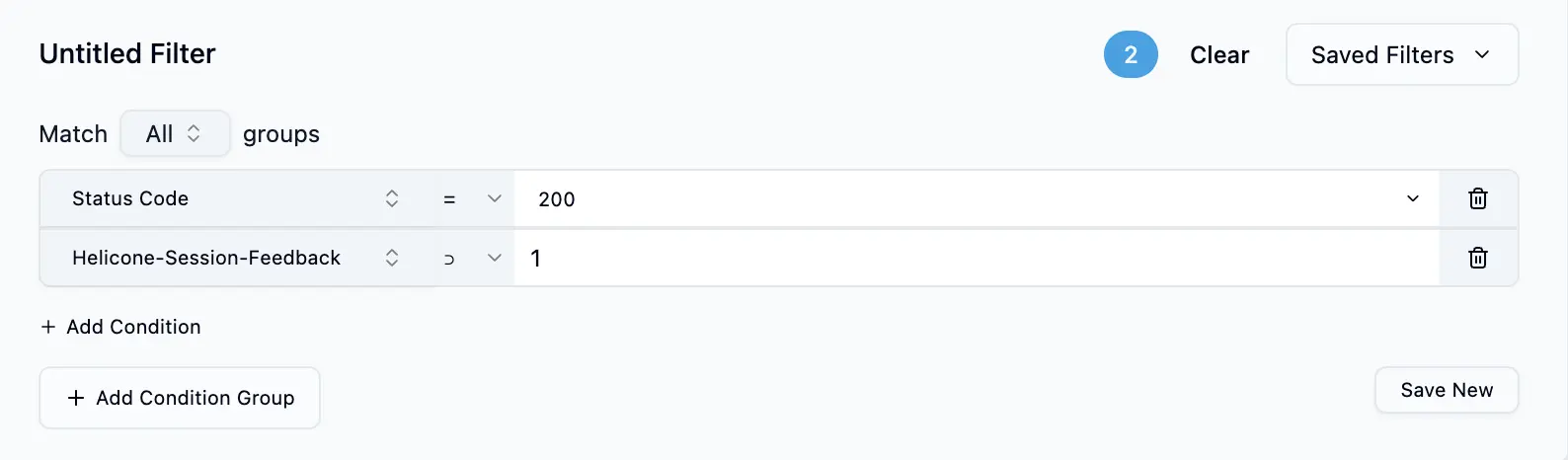
Check the boxes next to requests you want to include in your dataset
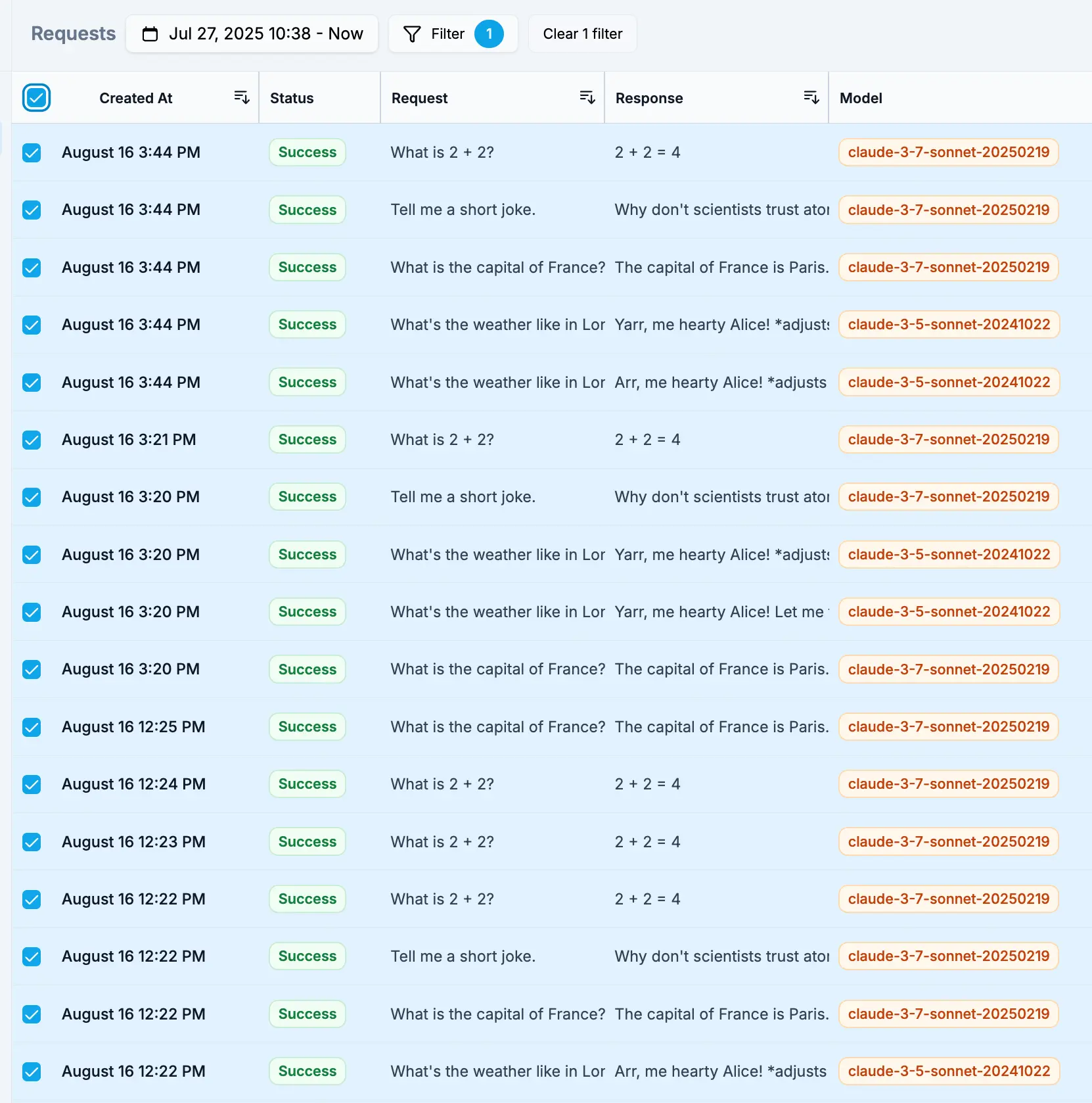
Click "Add to Dataset" and choose to create a new dataset or add to an existing one
Via API
Create datasets programmatically for automated workflows:
// Create a new dataset
const response = await fetch('https://api.corevalue.dev/v1/corevalue-dataset', {
  method: 'POST',
  headers: {
    'Authorization': `Bearer ${COVA_API_KEY}`,
    'Content-Type': 'application/json'
  },
  body: JSON.stringify({
    name: 'Customer Support Examples',
    description: 'High-quality support interactions for fine-tuning'
  })
});

const dataset = await response.json();

// Add requests to the dataset
await fetch(`https://api.corevalue.dev/v1/corevalue-dataset/${dataset.id}/request/${requestId}`, {
  method: 'POST',
  headers: {
    'Authorization': `Bearer ${COVA_API_KEY}`
  }
});
Building Quality Datasets
The Curation Process
Transform raw requests into high-quality training data through careful curation:
Start by adding many potential examples, then narrow down to the best ones. It's easier to remove than to find examples later.
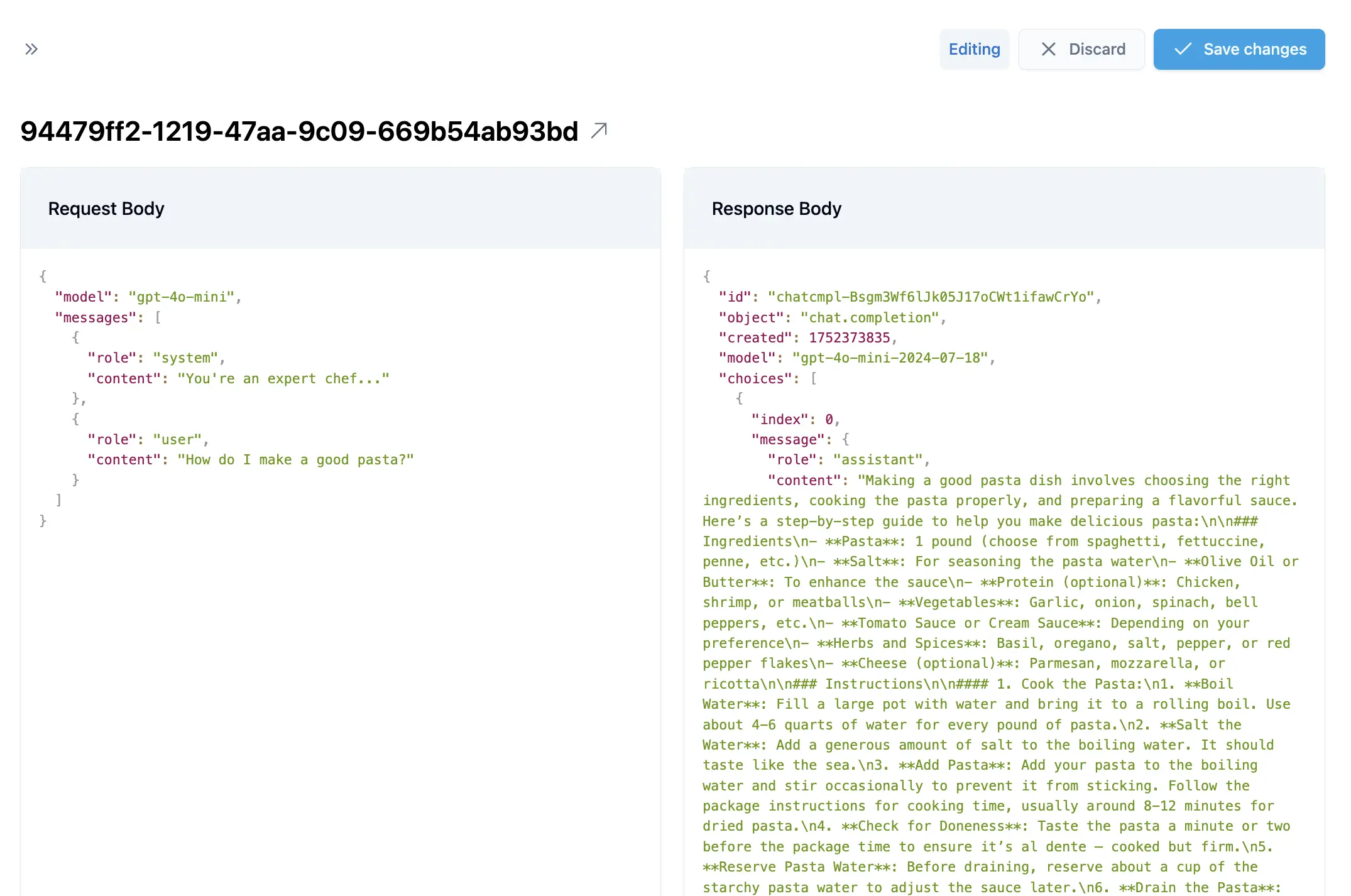
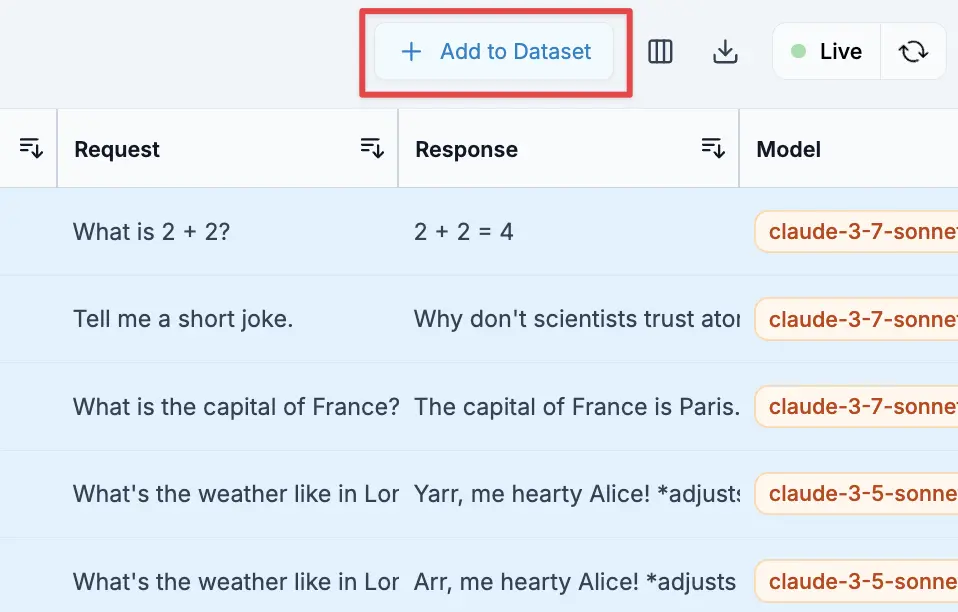
Examine each request/response pair for:
- Accuracy - Is the response correct and helpful?
- Consistency - Does it match the style and format you want?
- Completeness - Does it fully address the user's request?
Delete any examples that are:
- Incorrect or misleading responses
- Off-topic or irrelevant
- Inconsistent with your desired behavior
- Edge cases that might confuse the model
Ensure you have:
- Examples covering all common use cases
- Both simple and complex queries
- Appropriate distribution matching real usage
Quality beats quantity - 50-100 carefully curated examples often outperform thousands of uncurated ones. Focus on consistency and correctness over volume.
Dataset Dashboard
Access all your datasets at corevalue.dev/datasets:
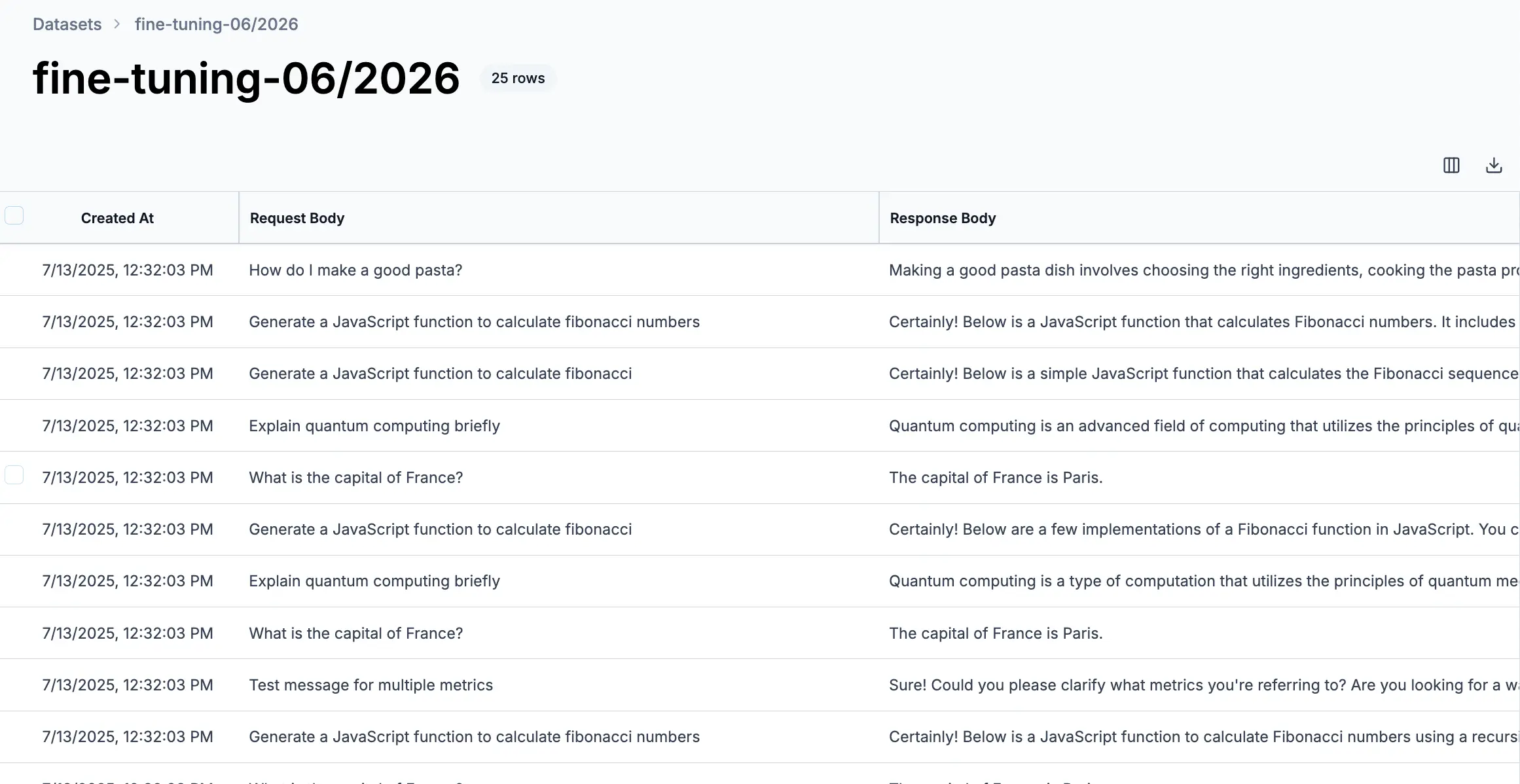
From the dashboard you can:
- Track progress - Monitor dataset size and last updated time
- Access datasets - Click to view and curate contents
- Export data - Download datasets when ready for fine-tuning
- Maintain quality - Regularly review and improve your collections
Exporting Data
Export Formats
Download your datasets in various formats:
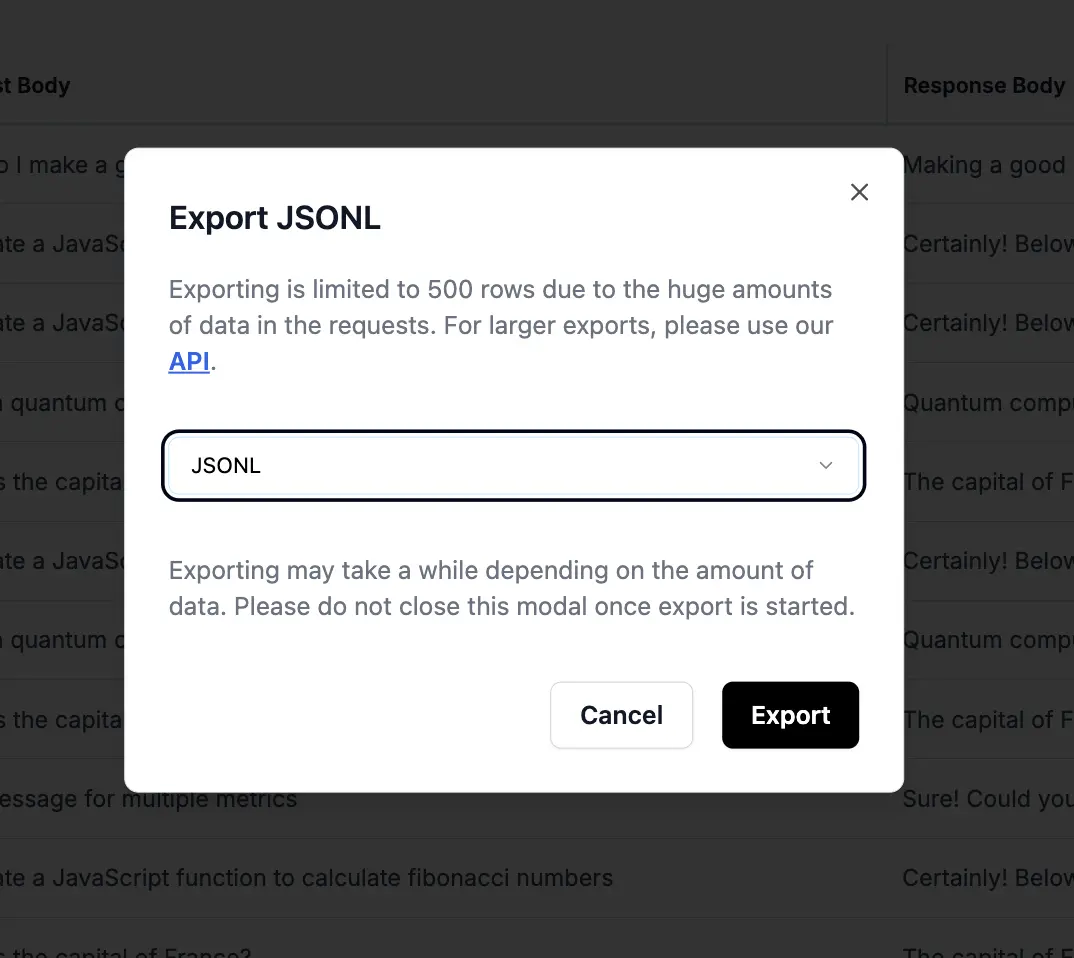
Perfect for OpenAI fine-tuning format:
{"messages": [{"role": "user", "content": "Hello"}, {"role": "assistant", "content": "Hi there!"}]}
{"messages": [{"role": "user", "content": "Help me"}, {"role": "assistant", "content": "I'd be happy to help!"}]}
Ready to use directly with OpenAI's fine-tuning API.
Structured format for spreadsheet analysis:
request_id,created_at,model,prompt_tokens,completion_tokens,cost,user_message,assistant_response
req_123,2024-01-15,gpt-4o,50,100,0.002,"Hello","Hi there!"
req_124,2024-01-15,gpt-4o,45,95,0.0019,"Help me","I'd be happy to help!"
Import into Excel, Google Sheets, or data analysis tools.
API Export
Retrieve dataset contents programmatically:
// Query dataset contents
const response = await fetch(`https://api.corevalue.dev/v1/corevalue-dataset/${datasetId}/query`, {
  method: 'POST',
  headers: {
    'Authorization': `Bearer ${COVA_API_KEY}`,
    'Content-Type': 'application/json'
  },
  body: JSON.stringify({
    limit: 100,
    offset: 0
  })
});

const data = await response.json();
Use Cases
Replace Expensive Models with Fine-Tuned Alternatives
The most common use case - using your expensive model logs to train cheaper, faster models:
Start logging successful requests from o3, Claude 4.1 Sonnet, Gemini 2.5 Pro, or other premium models that represent your ideal outputs
Create separate datasets for different tasks (e.g., "customer support", "code generation", "data extraction")
Review examples to ensure responses follow the same format, style, and quality standards
Export JSONL and fine-tune o3-mini, GPT-4o-mini, Gemini 2.5 Flash, or other models that are 10-50x cheaper
Continue collecting examples from your fine-tuned model to improve it over time
Task-Specific Evaluation Sets
Build evaluation datasets to test model performance:
// Create eval sets for different capabilities
const datasets = {
  reasoning: 'Complex multi-step problems with verified solutions',
  extraction: 'Structured data extraction with known correct outputs',
  creativity: 'Creative writing with human-rated quality scores',
  edge_cases: 'Unusual inputs that often cause failures'
};
Use these to:
- Compare model versions before deploying
- Test prompt changes against consistent examples
- Identify model weaknesses and blind spots
Continuous Improvement Pipeline
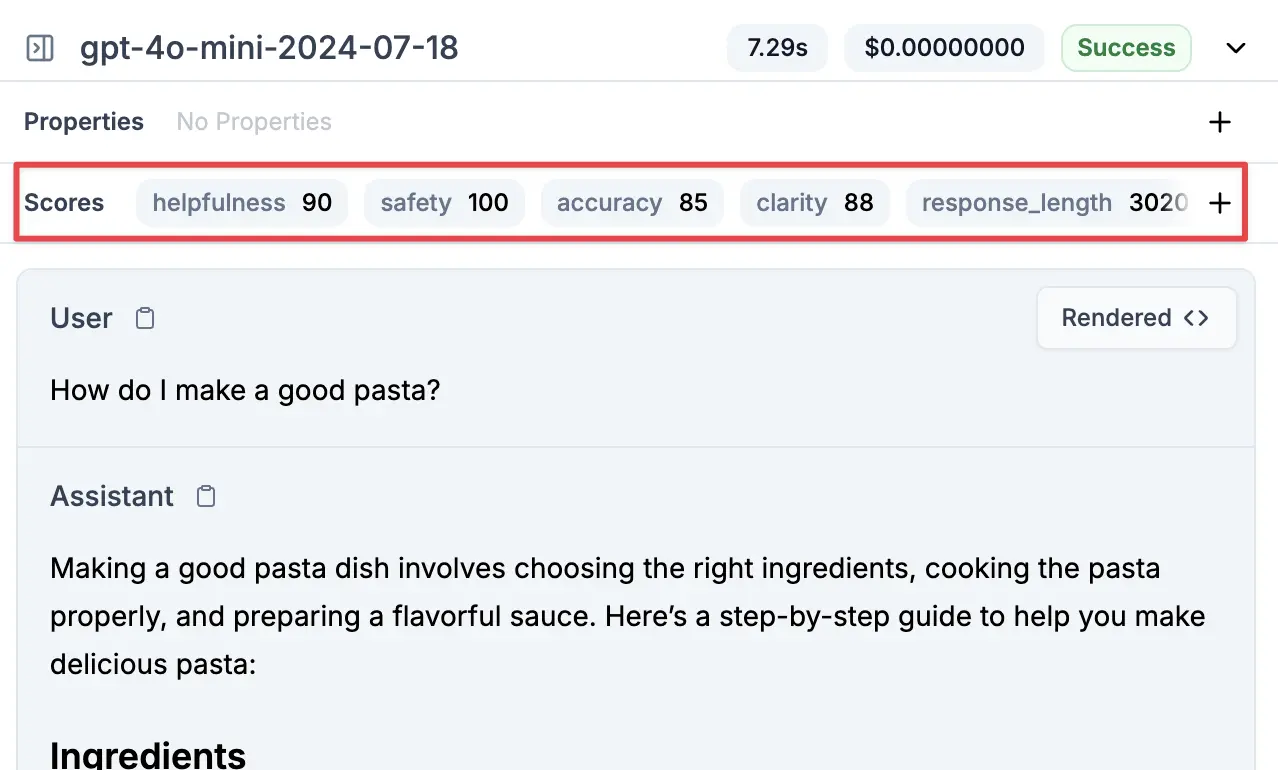
Build a data flywheel for model improvement:
- Tag requests with custom properties for easy filtering
- Score outputs based on user feedback or automated metrics
- Auto-collect winners into datasets when they meet quality thresholds
- Regular retraining with newly curated examples
- A/B test new models against production traffic
Start small - even 50-100 high-quality examples can significantly improve performance on specific tasks. Focus on one narrow use case first rather than trying to fine-tune a general-purpose model.
Best Practices
Quality over Quantity
Choose fewer, high-quality examples rather than large datasets with mixed quality
Diverse Examples
Include varied inputs, edge cases, and different user types in your datasets
Regular Updates
Continuously add new examples as your application evolves and improves
Clear Criteria
Document what makes a "good" example for each dataset's specific purpose
Related Features
Custom Properties
Tag requests to make dataset creation easier with filtering
User Metrics
Track which users generate the best examples for your datasets
Sessions
Include full conversation context in your datasets
Feedback
Use user ratings to automatically identify dataset candidates
Datasets turn your production LLM logs into valuable training and evaluation resources. Start small with a focused use case, then expand as you see the benefits of curated, high-quality data.