n8n Integration
Use the CoreValue Chat Model node in n8n workflows to route LLM requests through the AI Gateway with full observability.
Introduction
The CoreValue Chat Model is a community node for n8n that provides a LangChain-compatible interface for AI workflows. Route requests to any LLM provider through the CoreValue AI Gateway.
This is an n8n community node that integrates seamlessly with n8n's AI chain functionality.
Prerequisites
- An n8n account (see n8n installation docs for setup options)
- A CoreValue API key (get one here)
Integration Steps
From your n8n interface:
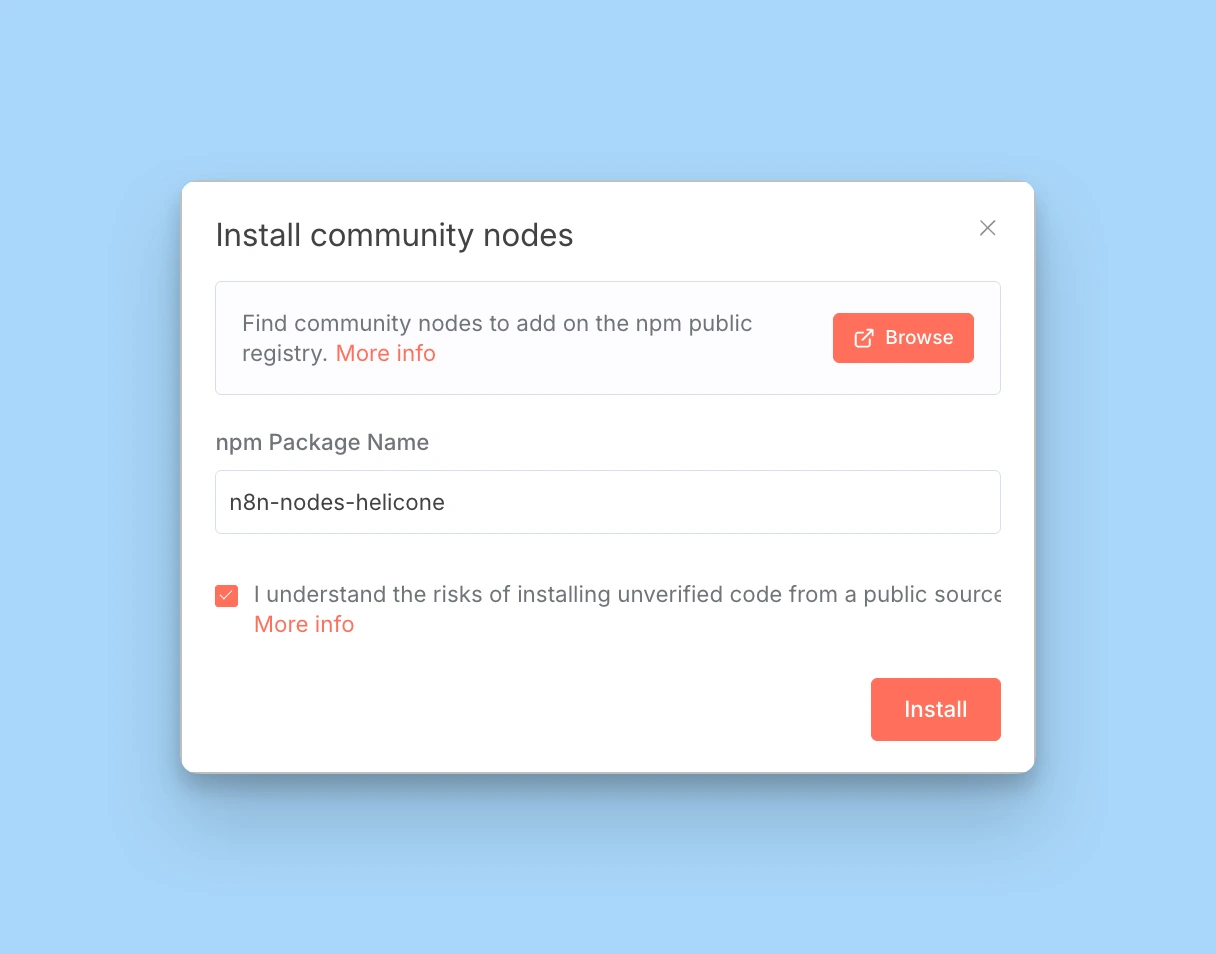
- Click the user menu (bottom left corner)
- Select Settings
- Go to Community Nodes
- Click Install a community node
- Enter the package name:
n8n-nodes-corevalue - Click Install
Wait ~30 seconds for installation. The node will appear in your nodes panel.
Learn more about installing community nodes in the n8n documentation.
Add your CoreValue API key to n8n:
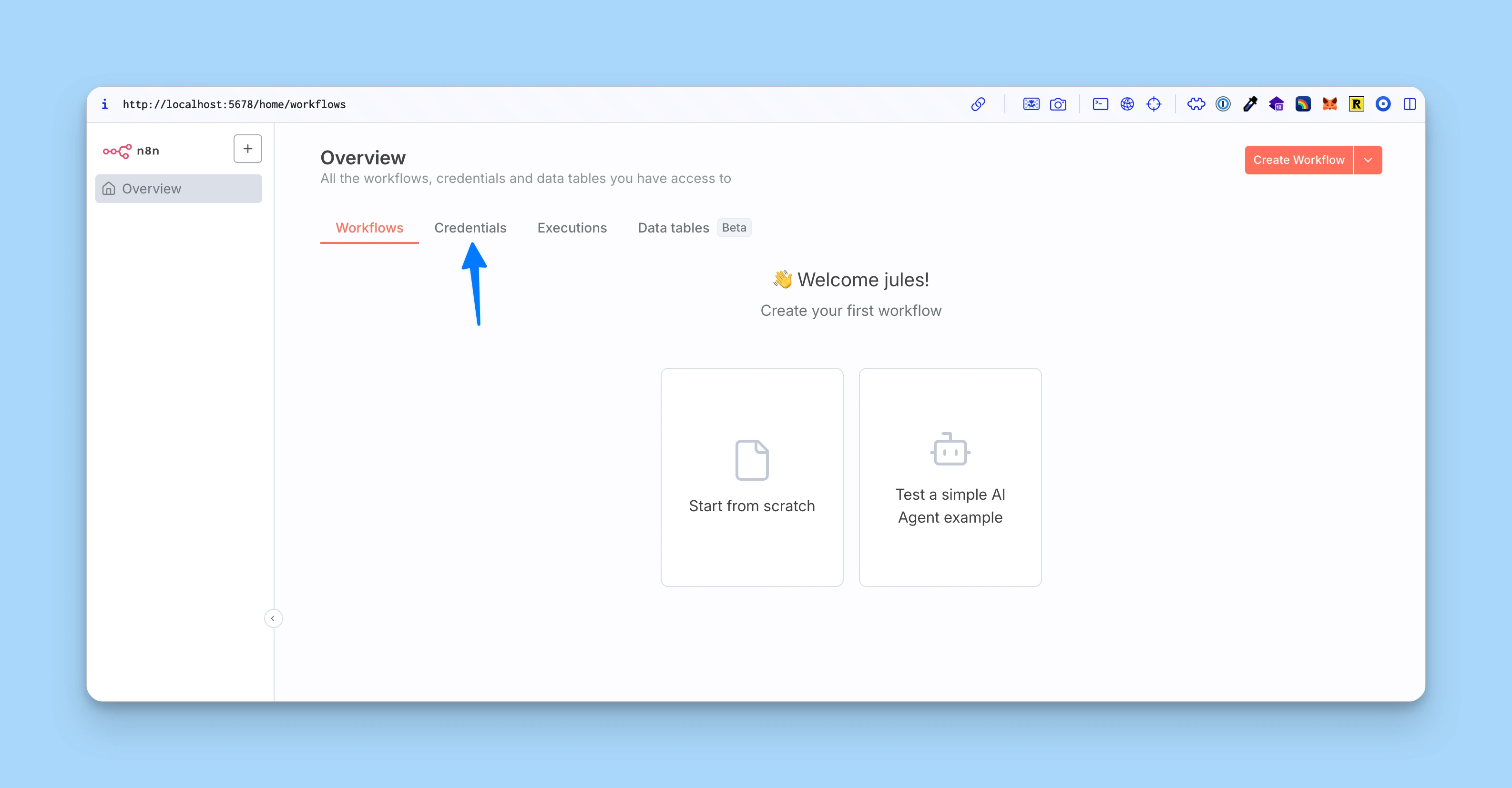
- Go to Settings → Credentials
- Click Add Credential
- Search for "CoreValue" and select CoreValue LLM Observability
- Enter your CoreValue API key
- Click Save
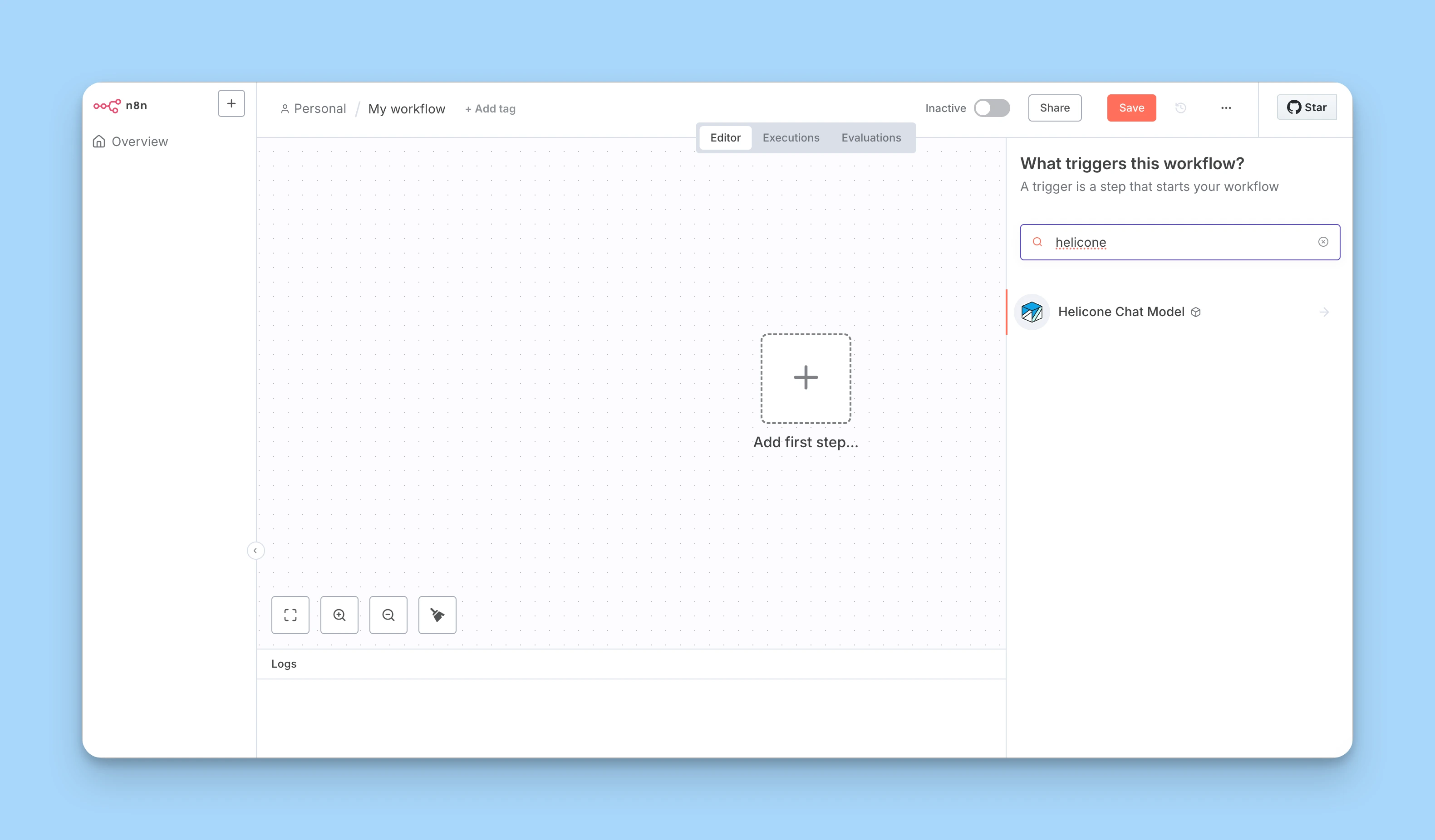
- Create a new workflow or open an existing one
- Click "+" to add a node
- Search for "CoreValue Chat Model"
- Configure the node:
- Credentials: Select your saved CoreValue credentials
- Model: Choose any model from the model registry (e.g.,
gpt-4.1-mini,anthropic/claude-3-opus-20240229) - Options: Configure temperature, max tokens, and other model parameters
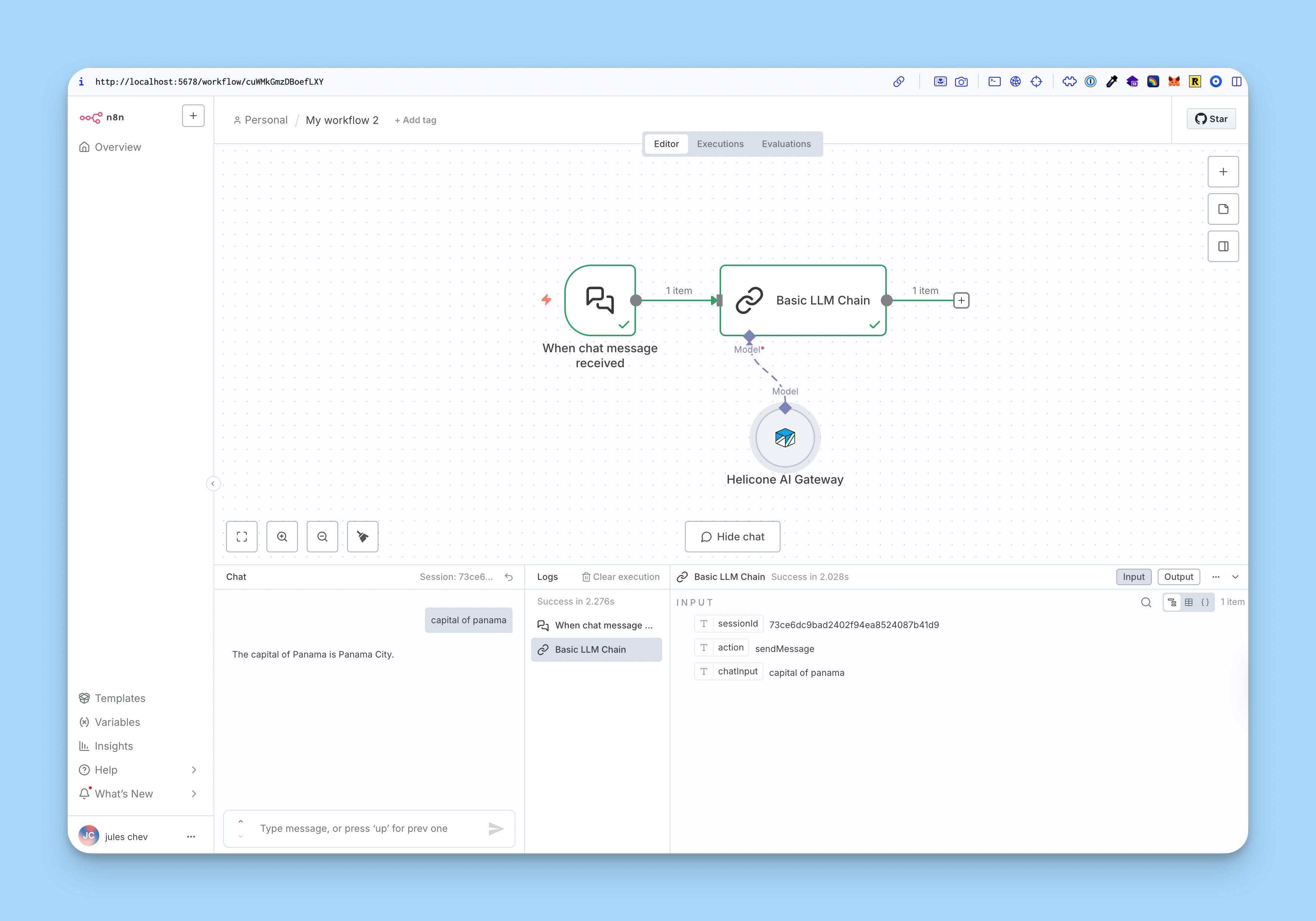
The CoreValue Chat Model node outputs a LangChain-compatible model that can be used with other AI nodes in n8n.
The CoreValue Chat Model node is designed to work with n8n's AI chain functionality:
- Connect the node to other AI nodes that accept
ai_languageModelinputs - Build complex AI workflows with Chat nodes, Chain nodes, and other AI processing nodes
- All requests are automatically logged to CoreValue
Example workflow: Chat Input → CoreValue Chat Model → Chat Output
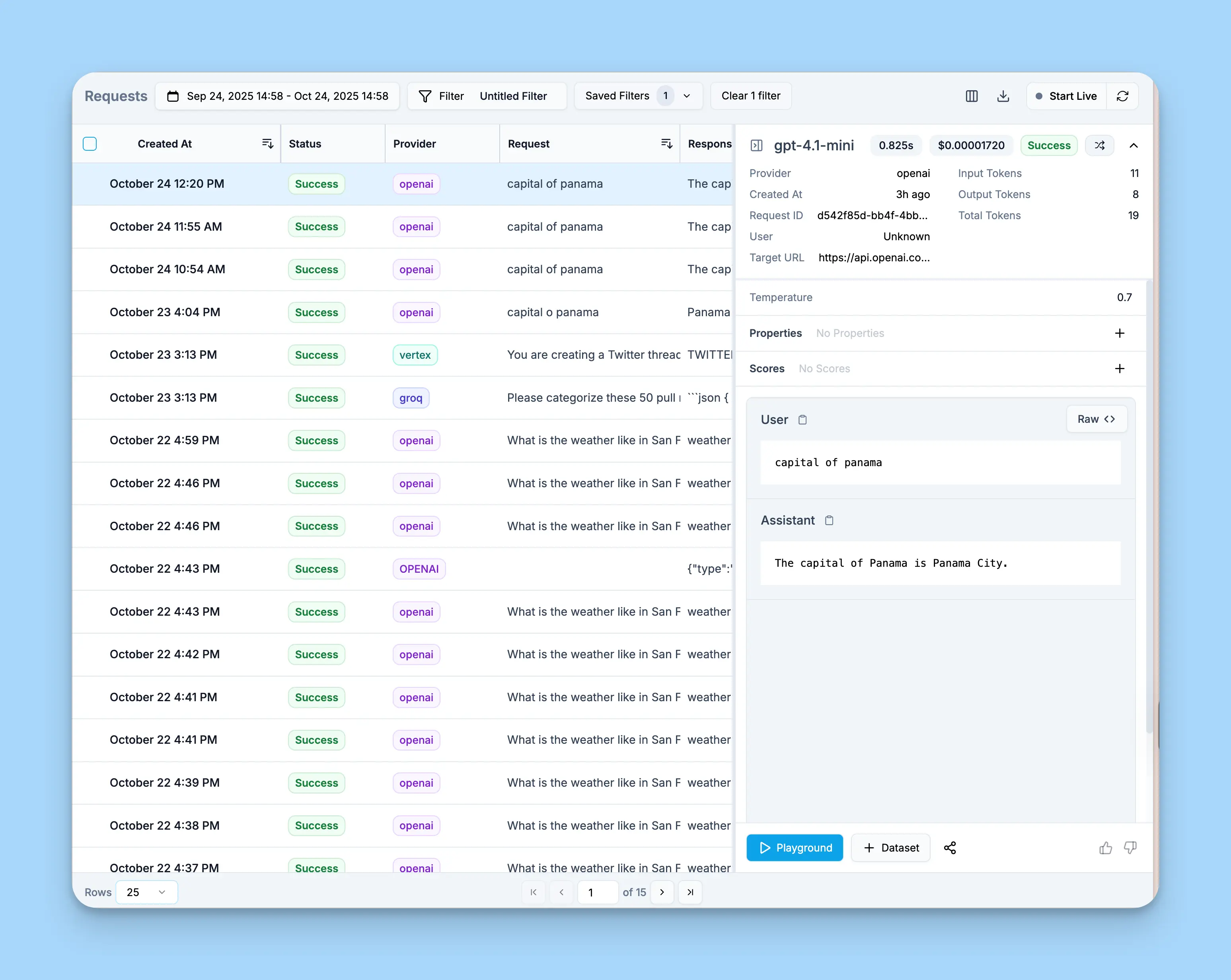
Open your CoreValue dashboard to see:
- All workflow requests logged automatically
- Token usage and costs per request
- Response time metrics
- Full request/response bodies
- Session tracking for multi-turn conversations
- Custom properties for filtering and analysis
While you're here, why not give us a star on GitHub? It helps us a lot!
Node Configuration
Required Parameters
- Model: Any model supported by CoreValue AI Gateway.
Examples:
gpt-4.1-mini,anthropic/claude-opus-4-1,google/gemini-2.5-flash-lite. See all models in the CoreValue's model registry
Model Options
- Temperature (0-2): Controls randomness in responses
- Max Tokens: Maximum tokens to generate
- Top P (0-1): Nucleus sampling parameter
- Frequency Penalty (-2 to 2): Reduces repetition
- Presence Penalty (-2 to 2): Encourages new topics
- Response Format: Text or JSON
- Timeout: Request timeout in milliseconds
- Max Retries: Number of retry attempts on failure
Example Workflows
Basic Chat Workflow
[Chat Input] → [CoreValue Chat Model] → [Chat Output]- Add a Chat Input node (triggers on user message)
- Add the CoreValue Chat Model node
- Model:
gpt-4.1-mini - Temperature: 0.7
- Model:
- Add a Chat Output node to display the response
Multi-Step AI Chain
[Webhook] → [CoreValue Chat Model] → [Extract Data] → [CoreValue Chat Model] → [Response]- Receive data via webhook
- First CoreValue Chat Model analyzes the input
- Extract structured data
- Second CoreValue Chat Model generates a response
- Both requests appear in CoreValue dashboard with session tracking
Workflow with Custom Properties
Configure the node with custom properties to track workflow metadata:
- Open the CoreValue Chat Model node
- Expand CoreValue Options → Custom Properties
- Add a JSON object:
{
  "workflow_name": "customer-onboarding",
  "environment": "production",
  "version": "2.1.0"
}
All requests from this node will include these properties in CoreValue.
Troubleshooting
Node Installation Issues
- Node not appearing: Wait 30 seconds after installation, then refresh n8n
- Installation failed: Check your n8n instance has internet access
- Version conflicts: Ensure you're running a compatible n8n version (>= 1.0)
Authentication Errors
- Invalid API key: Verify your CoreValue API key starts with
sk-cova- - 403 Forbidden: Ensure your API key has write access enabled
- Provider not configured: Check the name of the model is exactly the model ID expected by the gateway. If you've added your own provider keys, make sure they are correctly set in your CoreValue dashboard
Model Errors
- Model not found: Check the exact model name at CoreValue's model registry
- Model unavailable: Verify provider access in your CoreValue account
- Different naming: Providers use different conventions (e.g., OpenAI uses
gpt-4o-mini, while the gateway usesgpt-4.1-mini)
Getting Help
Request a CoreValue Integration
Looking for a framework or tool not listed here? Request it here!
Related Documentation
AI Gateway Overview
Learn about CoreValue's AI Gateway features and capabilities
Provider Routing
Configure intelligent routing and automatic failover
Model Registry
Browse all available models and providers
Request Pipeline
Explore the 12-step gateway request pipeline
Custom Properties
Add metadata to track and filter your requests
Sessions
Track multi-turn conversations and user sessions
OpenAI Agents Integration
Integrate CoreValue AI Gateway with OpenAI Agents SDK to build AI agents with tools and full observability.
PostHog Integration
Integrate CoreValue AI Gateway with PostHog to automatically export LLM request events to your PostHog analytics platform for unified product analytics.